1. Report
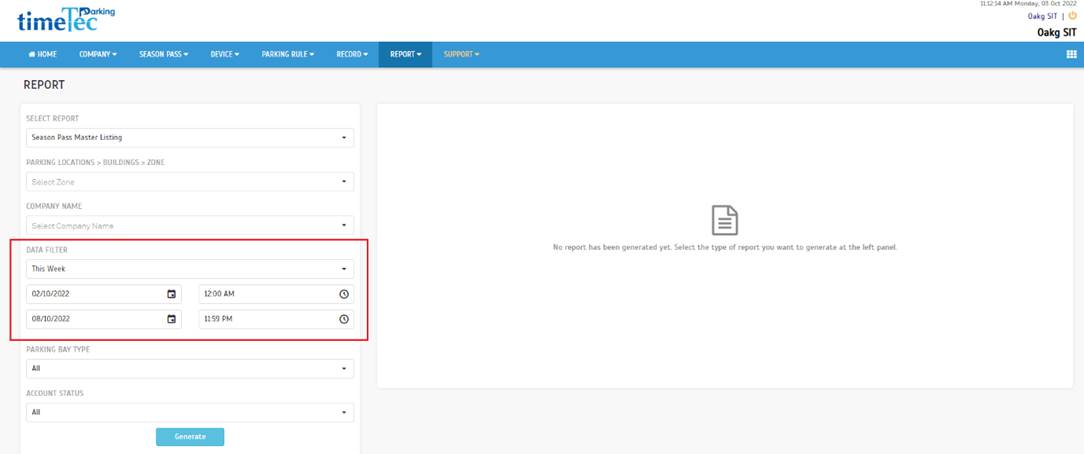
Season Pass Master Listing – Enhancement on the current report
a. Added date filter |
 |
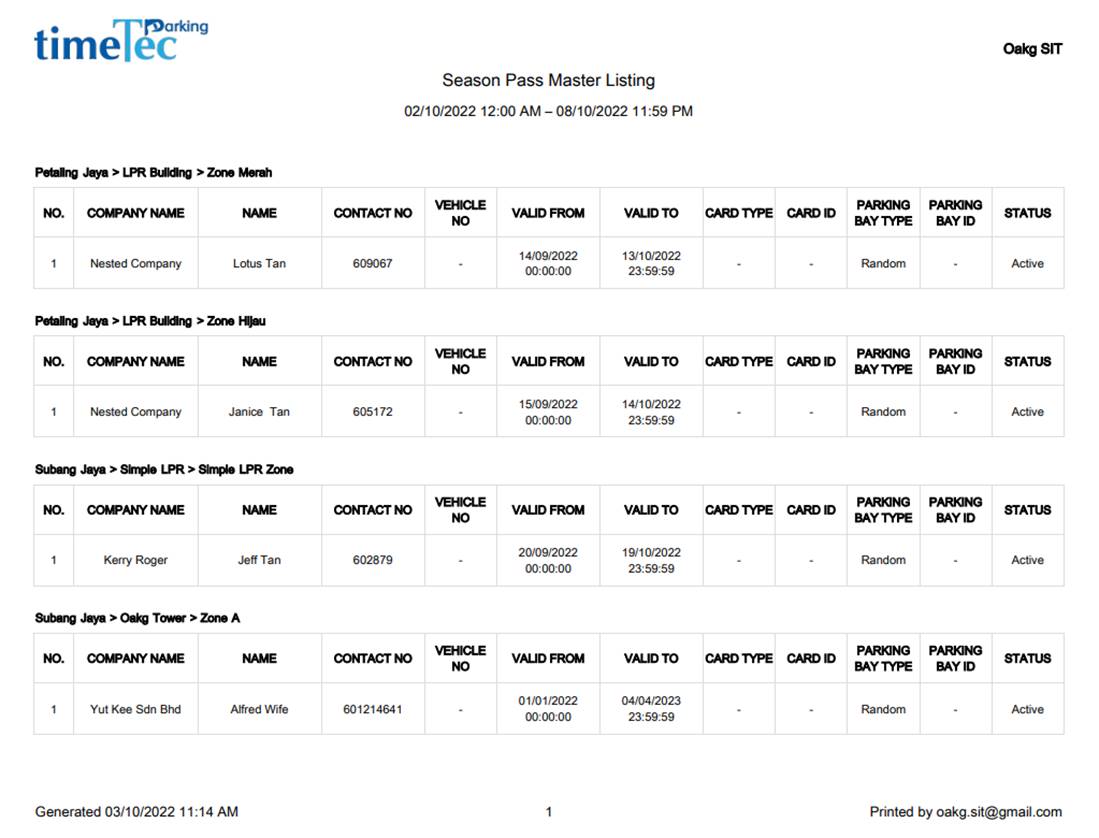
| b. Added the option to group by parking lot. Additional information is also added into the report. |
 |
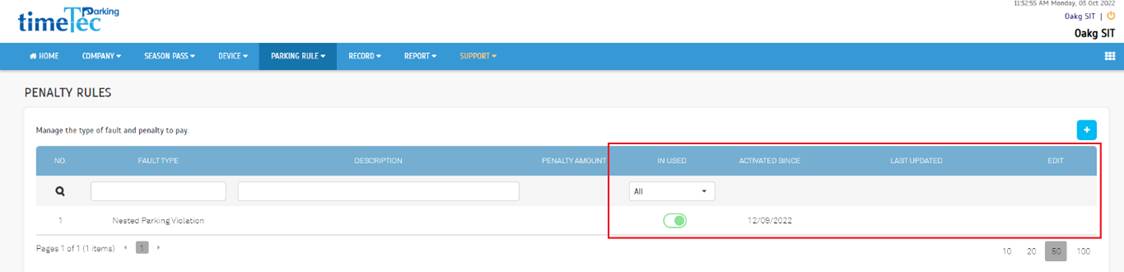
2. Nested Parking - Parking Rule > Penalty Rules
| a. Added default penalty rules. Take note that this penalty cannot be edited or deleted.
|
 |
3. Nested Parking - Parking Lot > Building
| a. Added a tab view for Building Info and Nested Parking under the building details. |
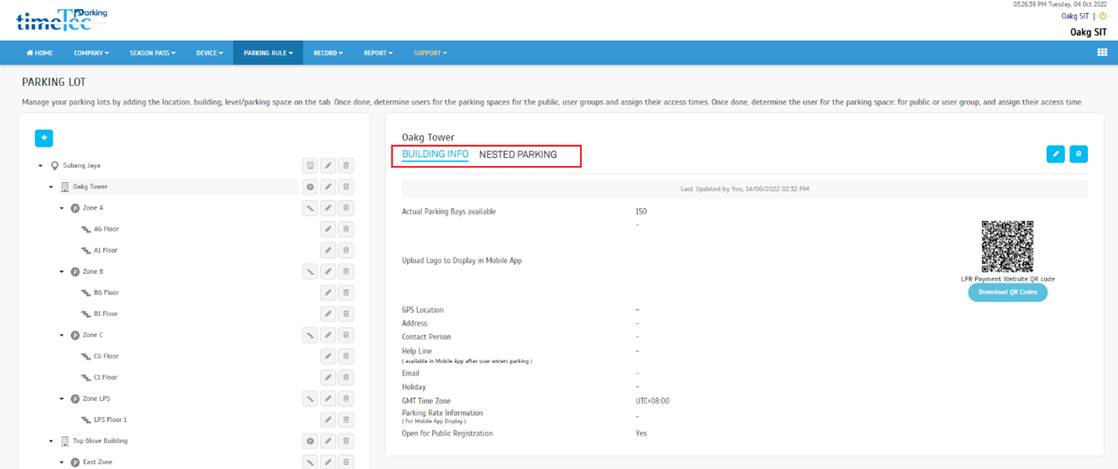 |
| b. To set up nested parking, enable the toggle button at Open for Nested Parking. |
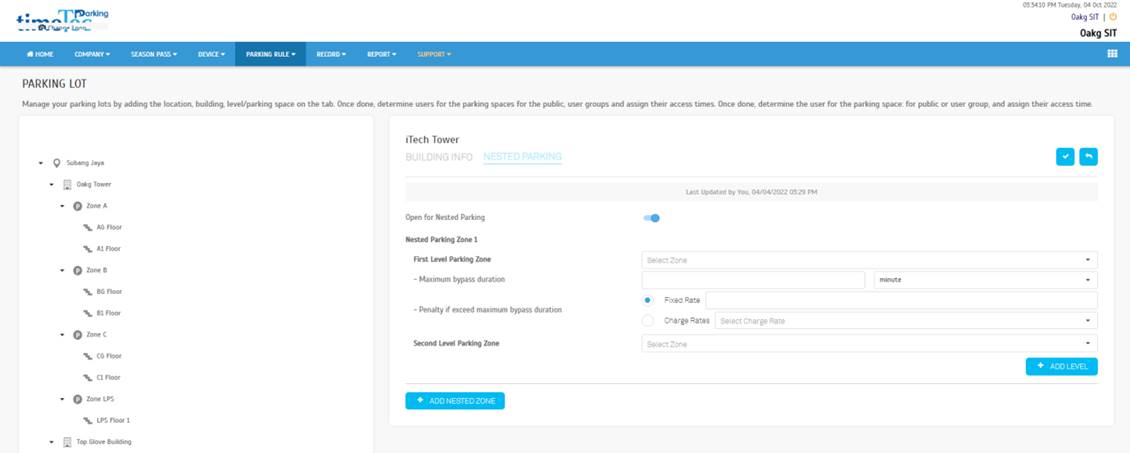 |
| c. Fill in all required fields, and at least 2 parking zone levels need to be set up to complete the nested parking setup. |
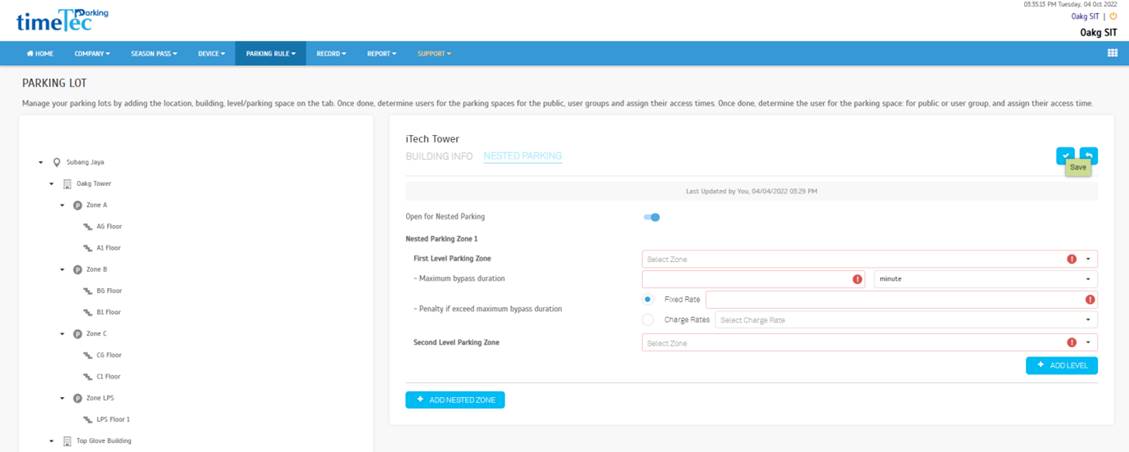 |
| d. Nested Parking setting in view mode. |
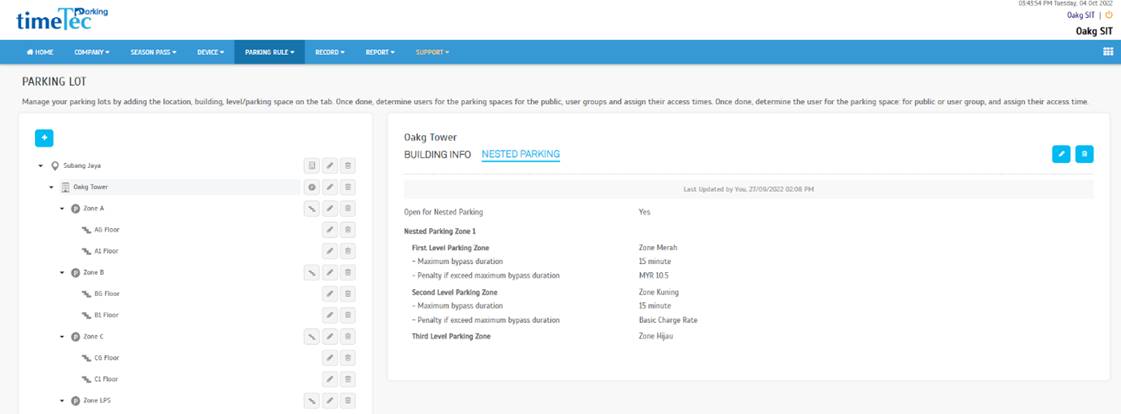 |
4. Nested Parking - Record > Monitoring
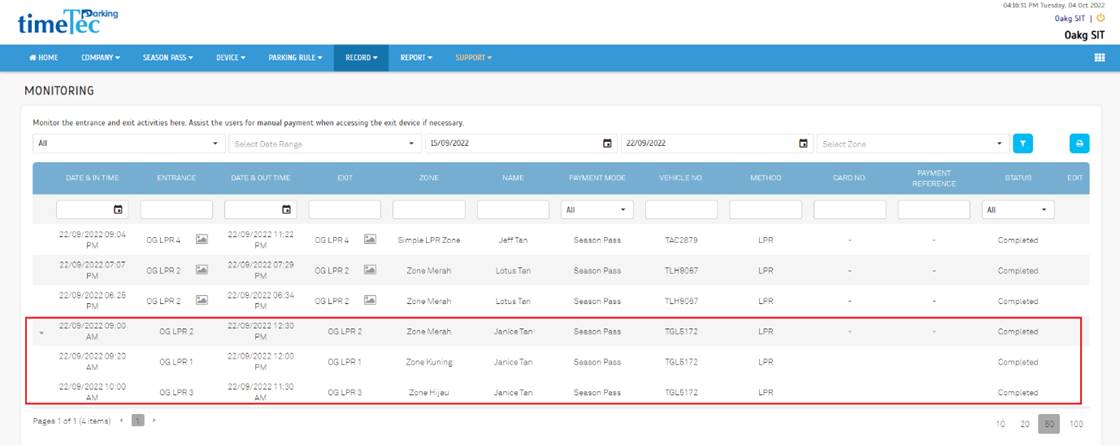
Enhancements are also made in the Monitoring section to cater for Nested Parking.
a. Enhancement on the Monitoring page to show the nested parking records.
|
 |
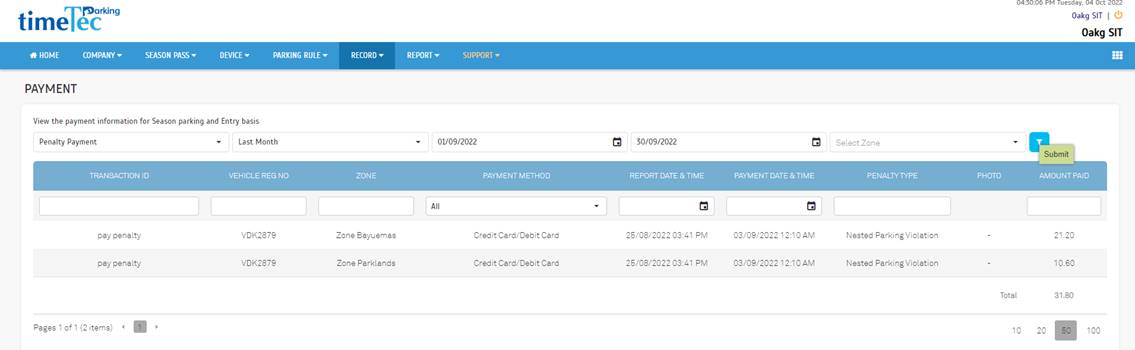
5. Nested Parking - Record > Payment
| a. Enhancement on Payment page to show penalty compounds. |
 |
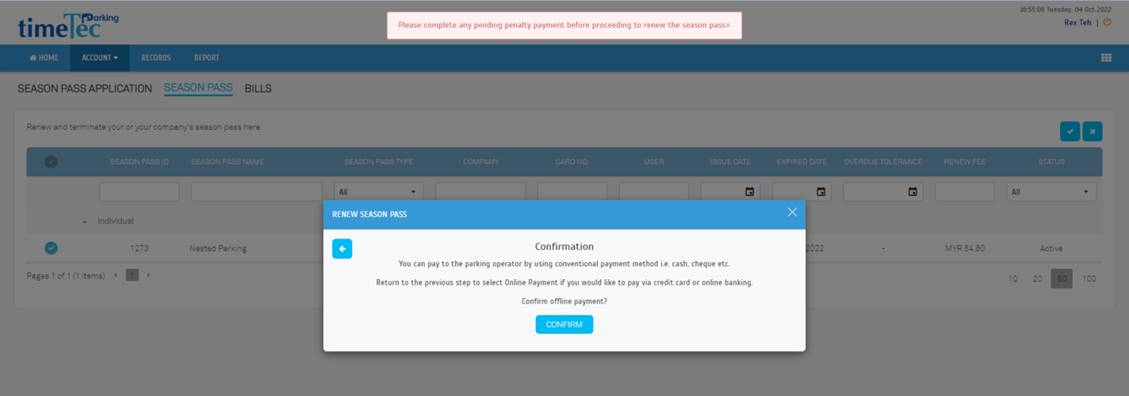
6. Nested Parking - User View – Season Pass
| a. Users with outstanding penalty payments cannot proceed to renew their pass. |
 |
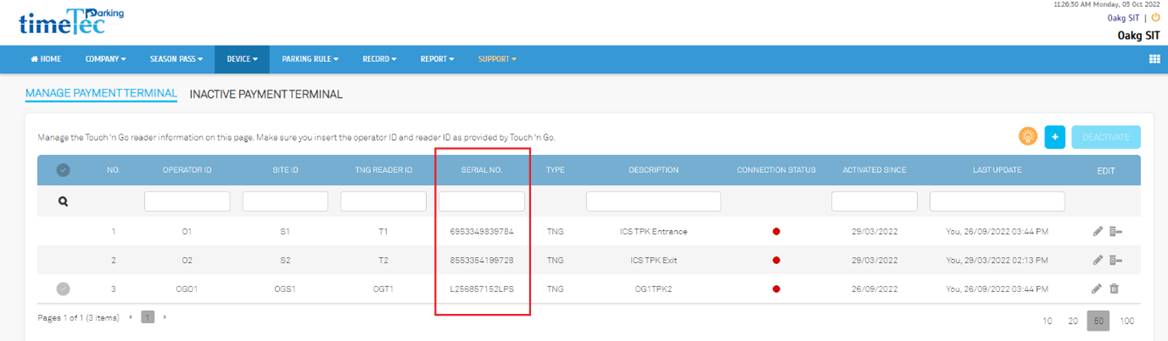
7. Integration with LPS
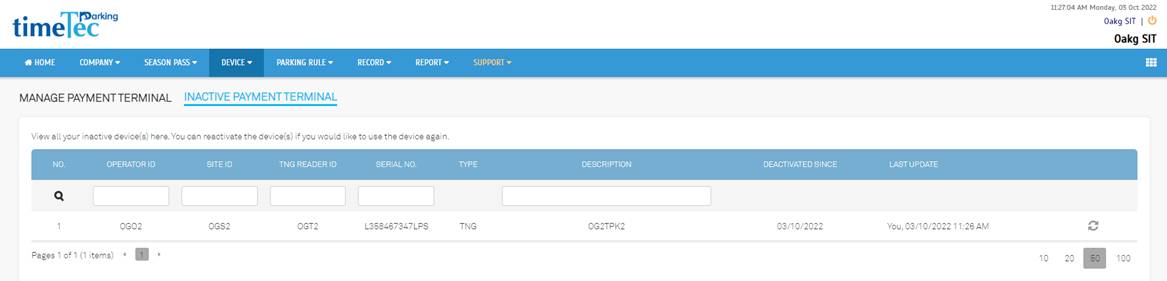
Added Serial No column at Device > Manage TPK to get connection status and open barrier for LPS integration
a. Active Device |
 |
| b. Inactive Device |
 |
 |
TimeTec Parking App Update |
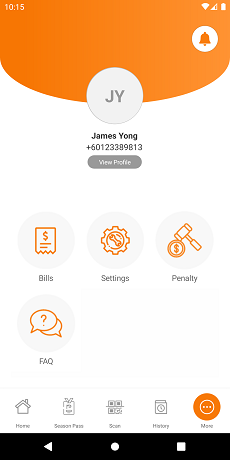
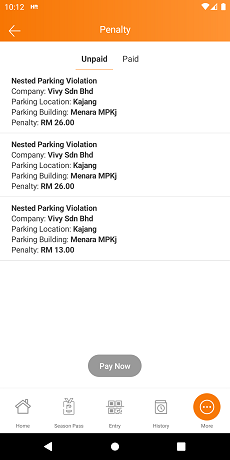
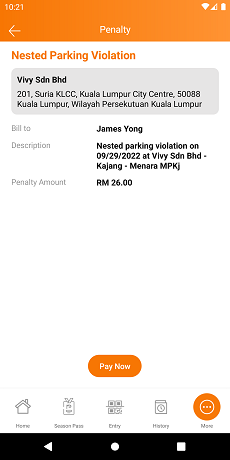
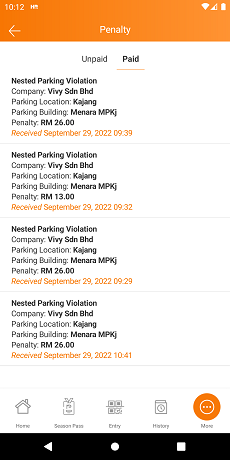
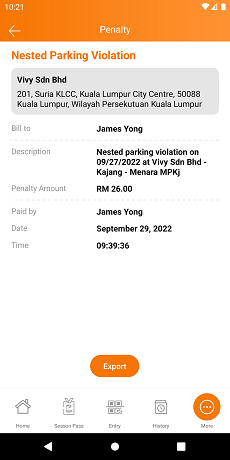
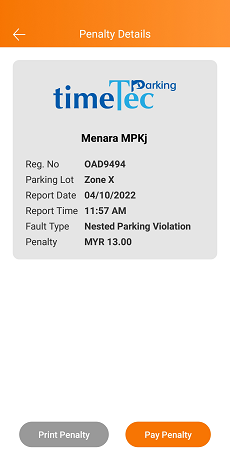
1. (NEW) Penalty module
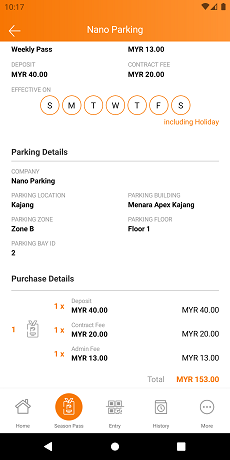
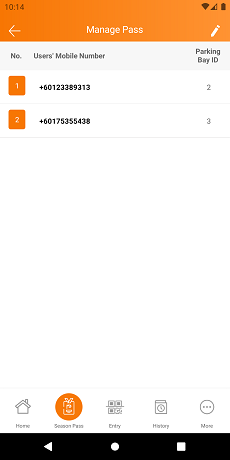
1. Season Pass
| Display the Parking Bay ID |
|
|
2. General
| Upgraded Android SDK to 31 |
 |
TimeTec Parking Officer App Update |
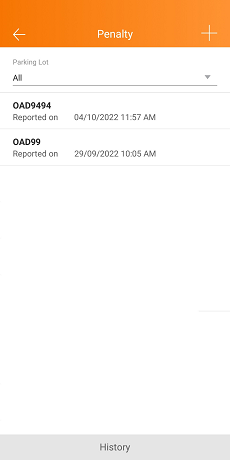
1. (NEW) Penalty module for Nested Parking Violation
2. General
| Upgraded Android SDK to 31 |