1. Enhanced Sync Functionality
A new manual synchronization option has been added to improve data consistency between PMS and LPR devices.
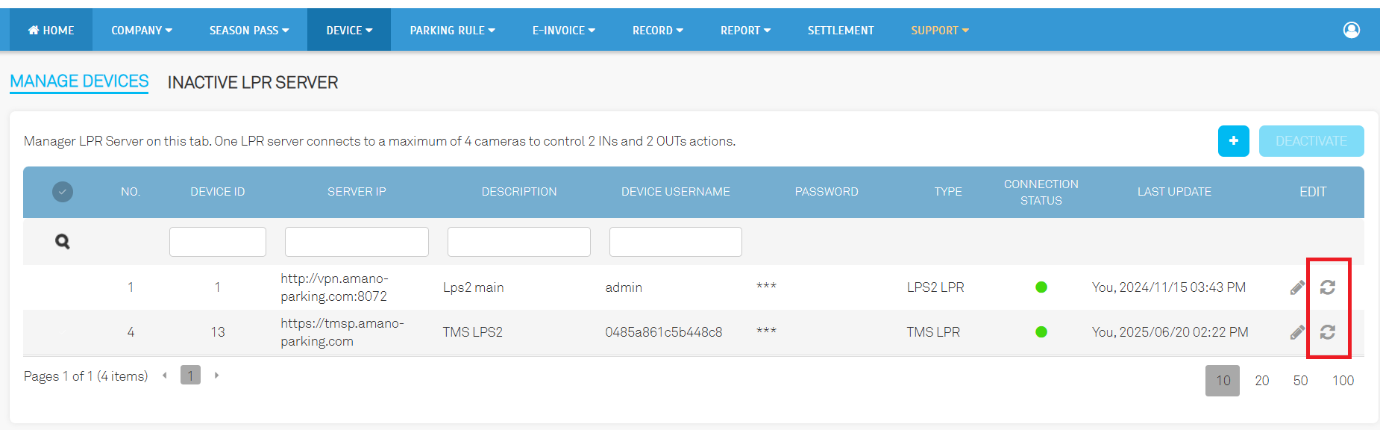
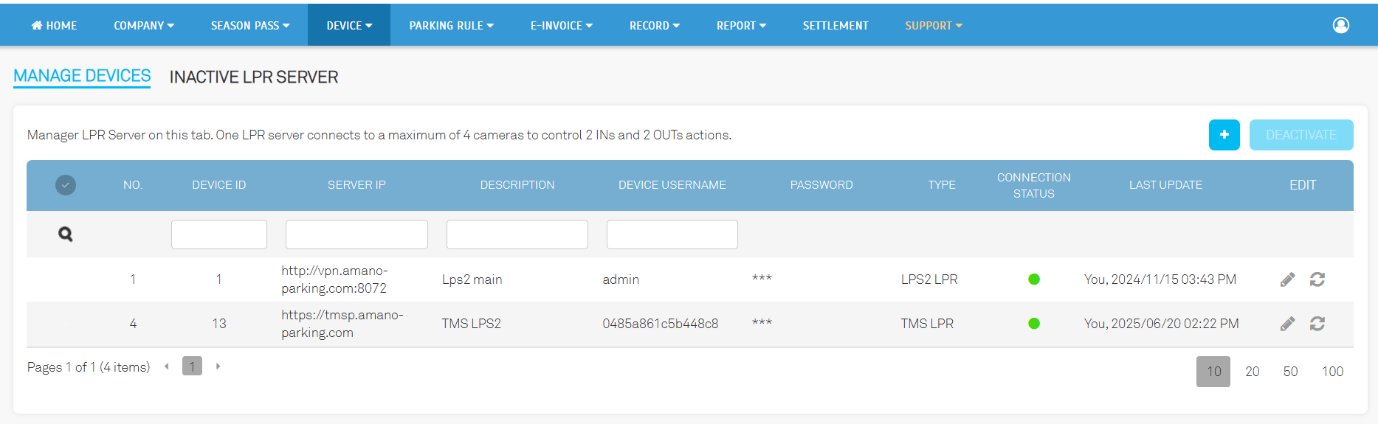
1.1. Operator View: Device > Manage LPR
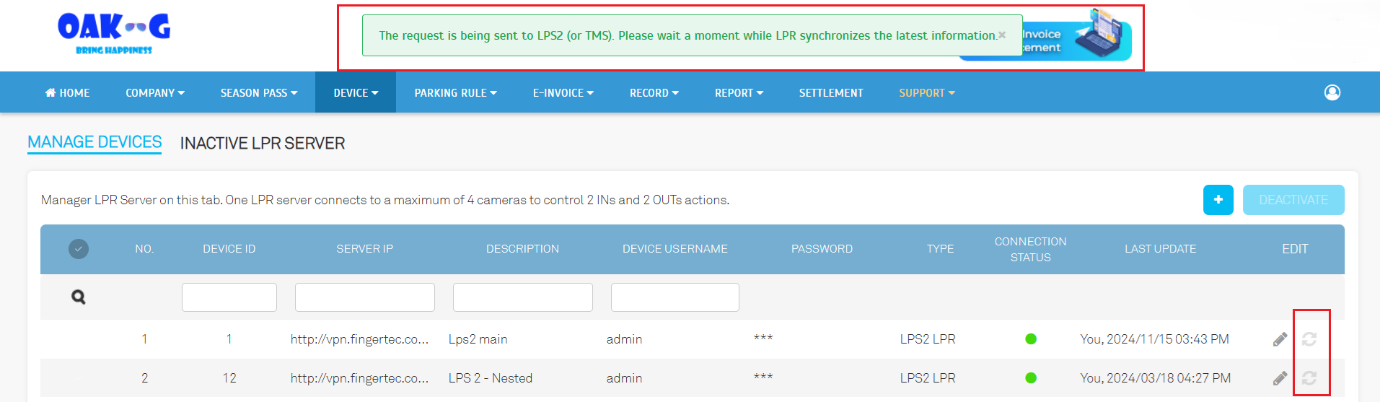
- Manual Sync Button - Operators can instantly trigger synchronization to keep PMS and LPR data aligned.
- Sync Status Popup - A notification shows sync status, with safeguards to prevent repeated requests and system overload.
2. Parking Load Report Enhancement
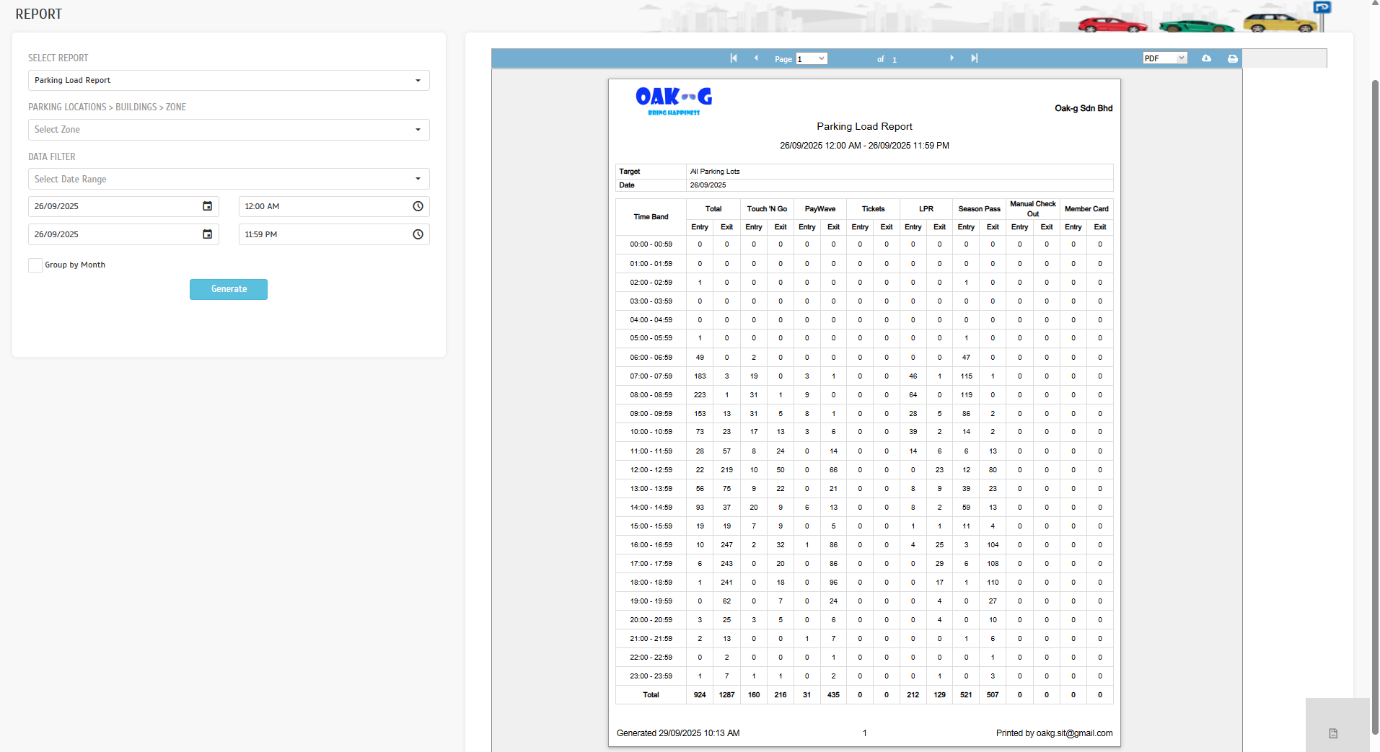
The Parking Load Report now provides a more complete picture of parking usage.
2.1. Operator View: Report > Analysis > Parking Load Report
- Grace Period Inclusion Vehicles exiting within the grace period are now captured in the report.
- Comprehensive Utilization Data - More accurate insights help operators with planning and resource allocation.
3. Improved Free Pass Creation
Configuration settings are now retained during free pass creation, ensuring consistent behavior and fewer errors.
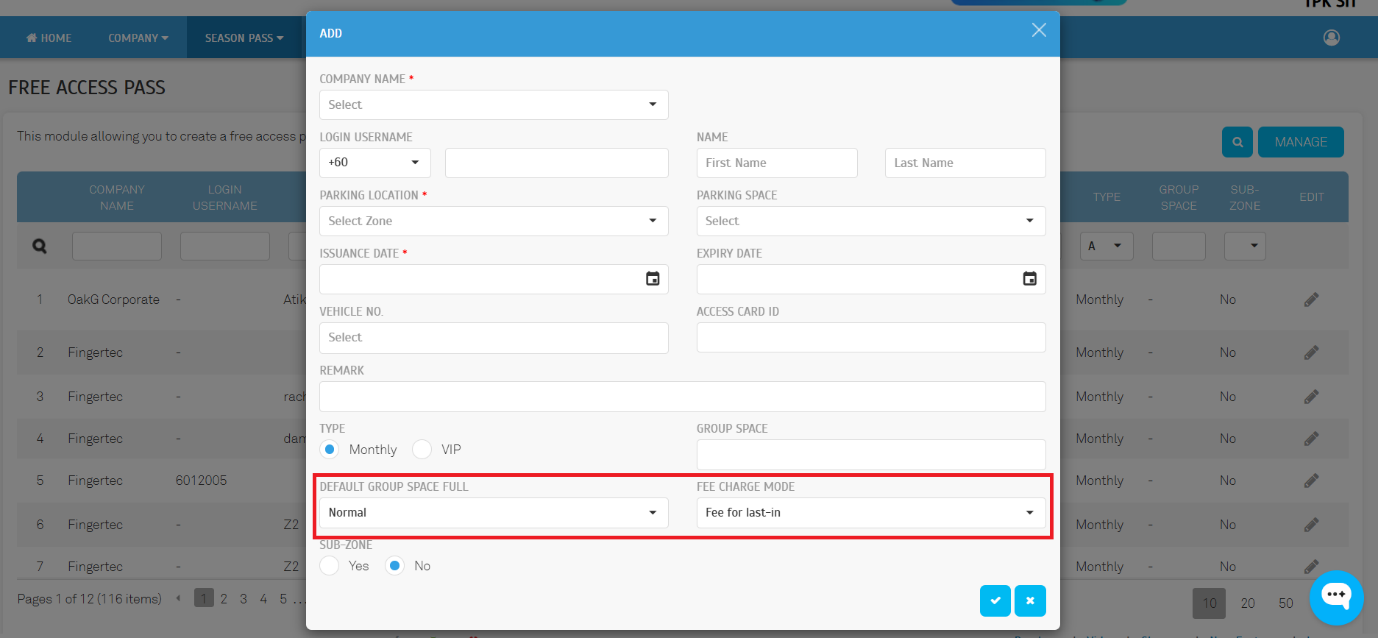
3.1. Operator View: Season Pass > Free Access Pass
- Configuration Retention - When creating new free passes (manual entry or Excel import), system settings such as Default Group Space Full and Fee Charge Mode are now correctly saved and applied.
- Consistency Across Methods - Whether operators add passes individually or in bulk, the same rules and defaults are applied, ensuring uniform behaviour.
- Reduced Errors - Eliminates common mistakes where settings were not previously retained, giving operators confidence that their chosen configurations will remain intact.
4. Intelligent Retry Mechanism
A retry and fallback process improves the reliability of syncing records with TMS devices after promo code redemption.
4.1. LPR Integration Service
- Automatic Retry - If the initial sync fails due to network issues, the system retries automatically.
- Fallback to Alternate URL - When available, the system switches to an alternate LPS2 URL to complete the update without operator intervention.
5. Preliminary Invoice Optimization
Billing calculations for season pass renewals have been corrected to eliminate discrepancies.
5.1. User View: Account > Season Pass
- Invoice Accuracy - Preliminary invoice amounts now fully align with final charges, even when miscellaneous fees are involved.
- Reduced Manual Adjustments - This correction applies only to those affected scenarios, ensuring accurate billing without unnecessary operator intervention.
6. Error Reporting Optimization
Error messages in Abnormal Record have been standardized for clearer operator feedback.
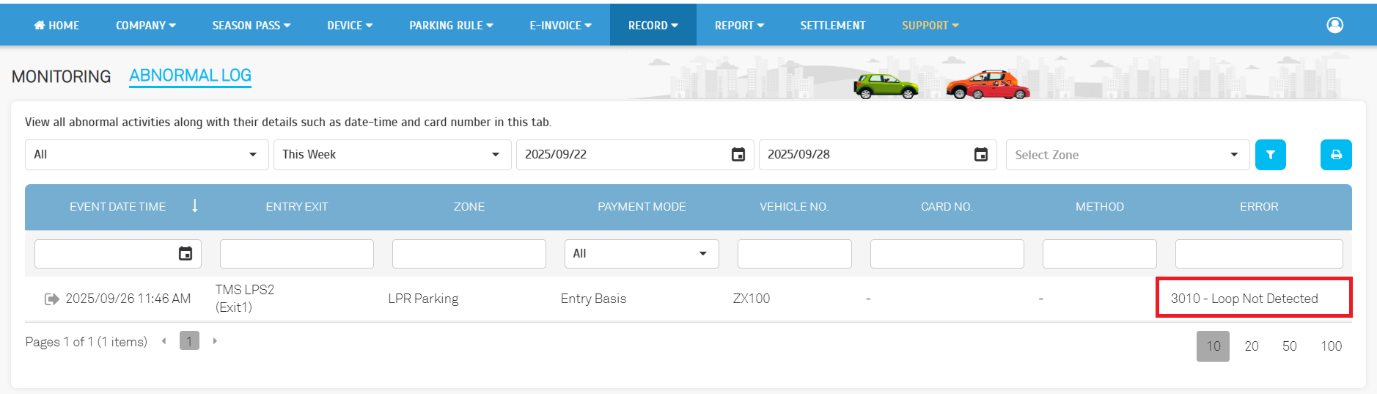
6.1. Operator View: Record > Monitoring > Abnormal Log
- Standardize Error Messages - Errors now display as "Loop Not Detected" for clarity.
- Improved Troubleshooting - Operators can identify and resolve issues more quickly.