1. Smarter Daily Rate Management – Enhanced Charge Rate Configuration
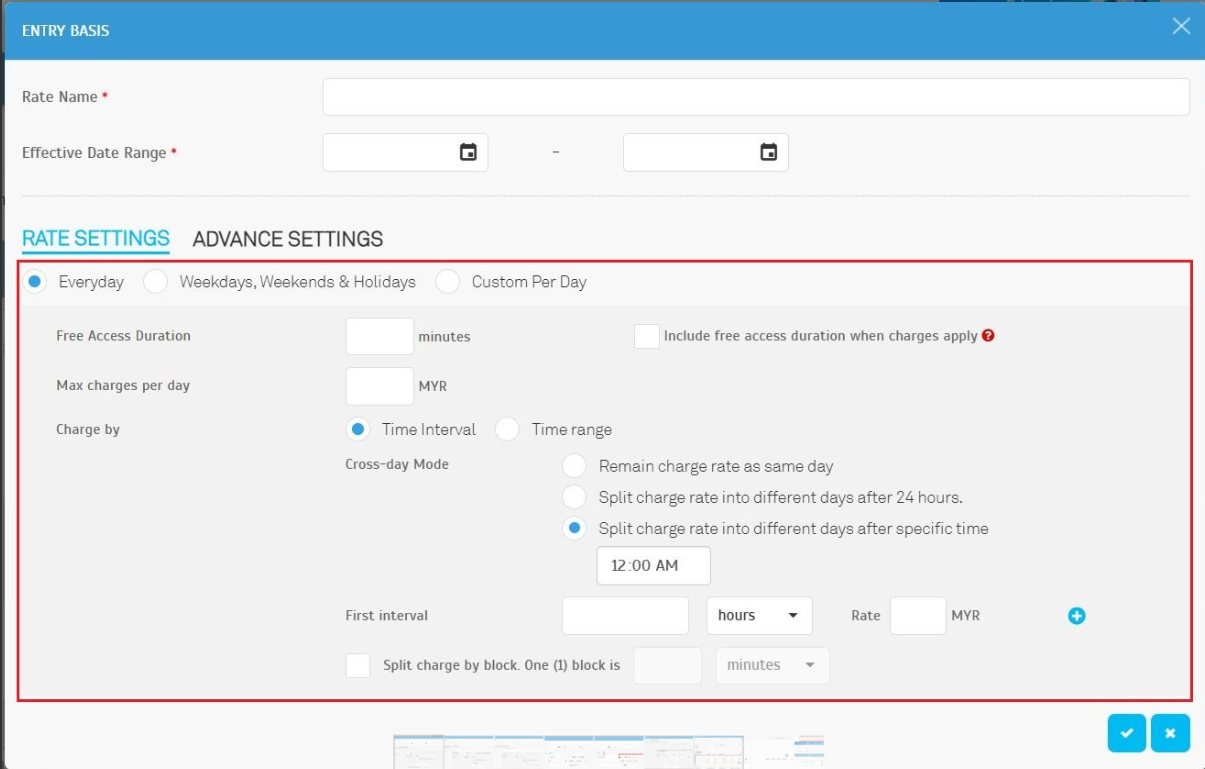
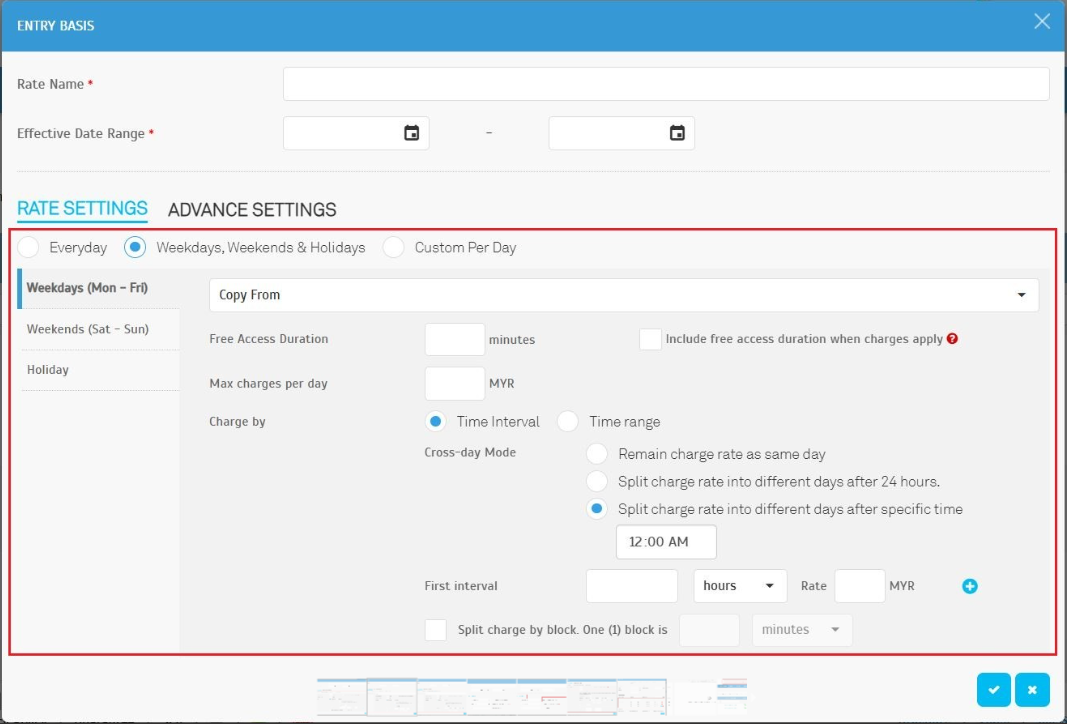
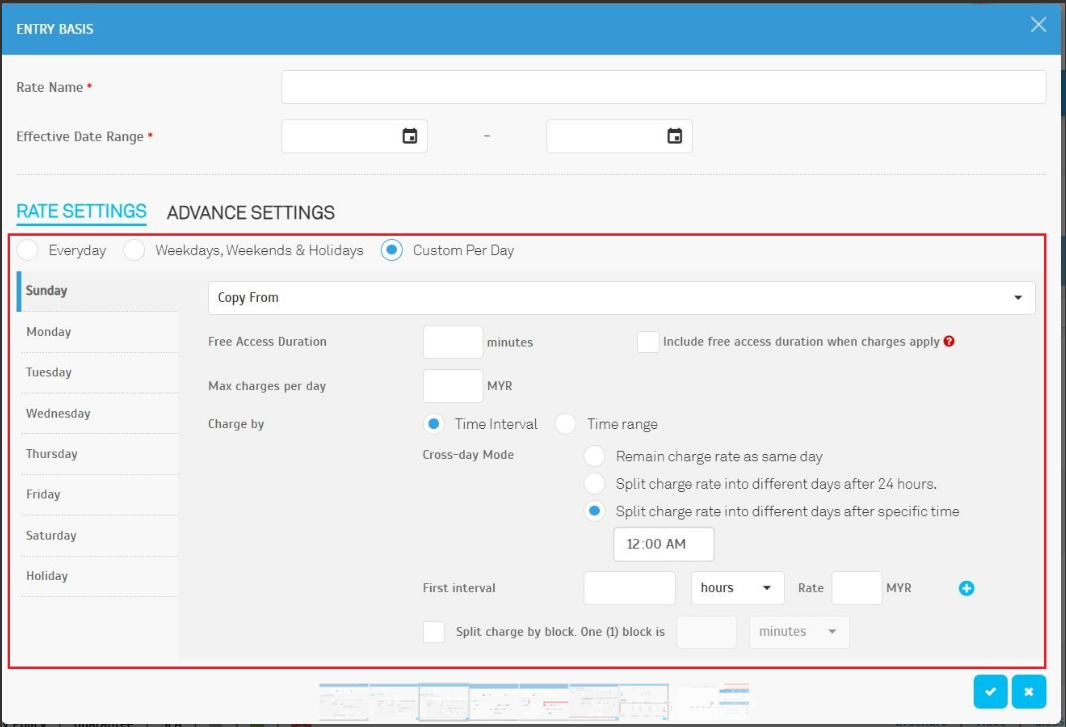
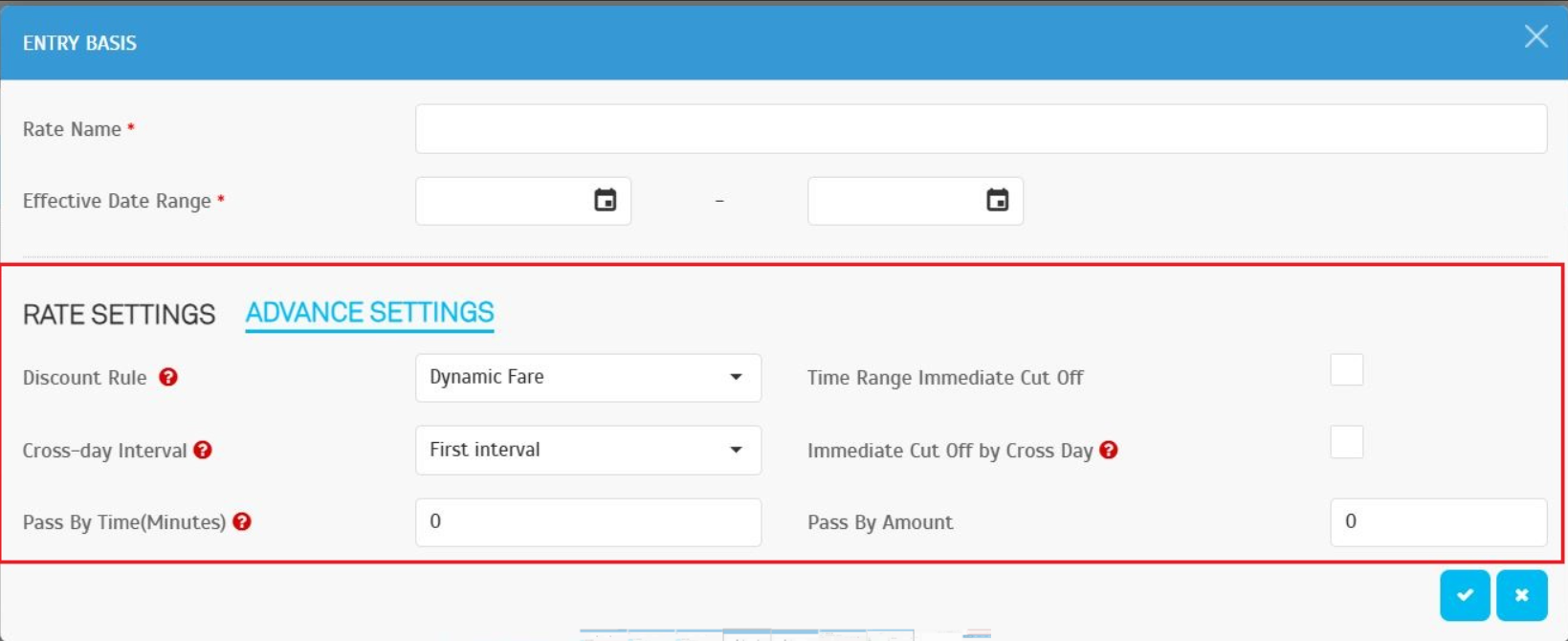
Managing daily rates just got easier! The Entry Basis configuration interface is now organized into three intuitive sections:
- Common Configuration – Set the Rate Name and Effective Date Range
- Rate Settings – Choose from:
- Everyday – Same rate for all days.
Weekdays, Weekends & Holidays – Different rates based on day types.
Custom Per Day – Customize rates for each day.
Advanced Settings – Fine-tune rate logic for specific needs.
This design reduces repetitive setups and simplifies daily rate management for operators.
2. New: Time Range Immediate Cut-Off Option
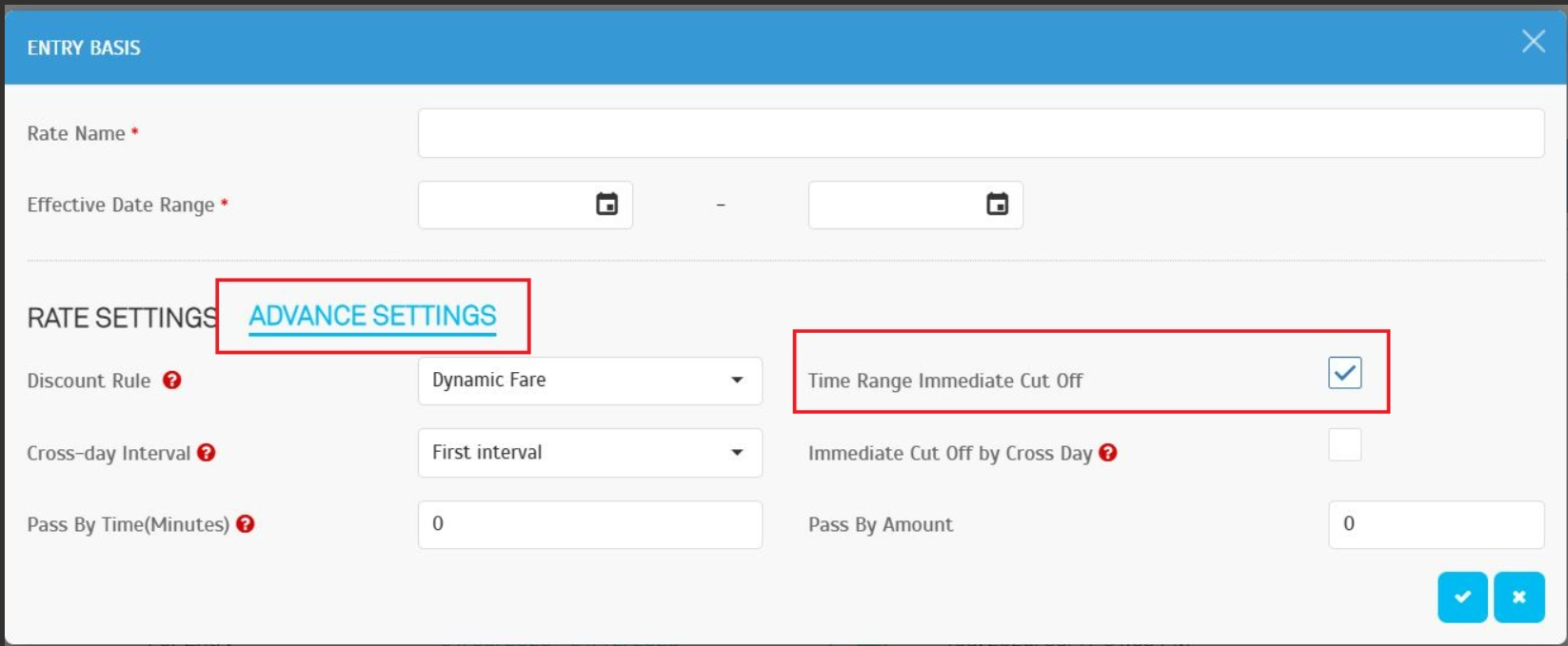
Gain more control over Time Range-based charging with the Immediate Cut-Off option in Advanced Settings.
Found at: Parking Rule > Charge Rates > Entry Basis > Advanced Settings
How It Works:
- When enabled, the system immediately applies the next time block’s rate as soon as it starts.
- When disabled, the system charges based on the current block until the full paid duration ends.
Example:
- Entry: 5:45 PM | Exit: 6:15 PM
- Without Cut-Off: 3 MYR (charged fully under the earlier block)
- With Cut-Off: 3 MYR (first block) + 6 MYR (new block) = 9 MYR
3. Season Pass – Smarter Tier Calculation
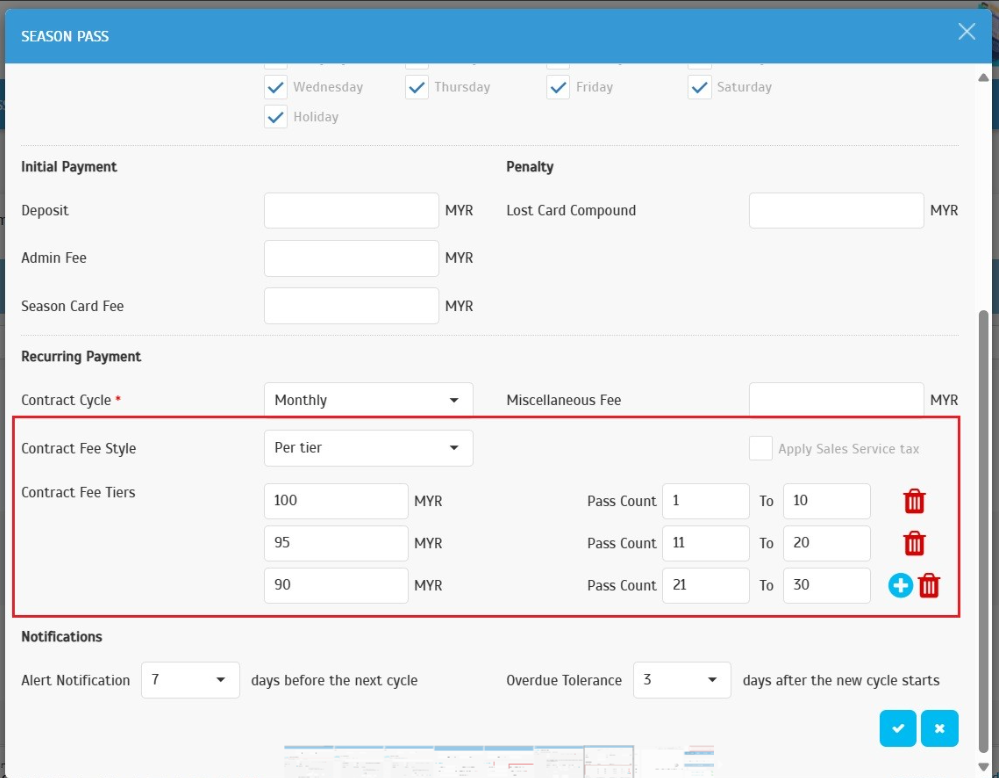
Improved the Per Tier calculation logic for Season Pass Charge Rates (Contract Fee – Per Tier).
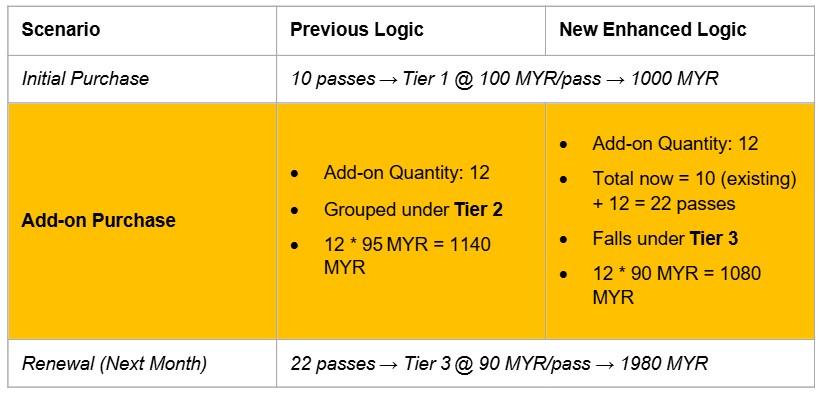
The system now calculates pricing based on the total cumulative number of active passes, rather than per transaction.
Example:
This ensures a fairer and more accurate pricing model for corporate clients.
4. New Zone Filter for Total Collection Report (Requested by Mahsa)
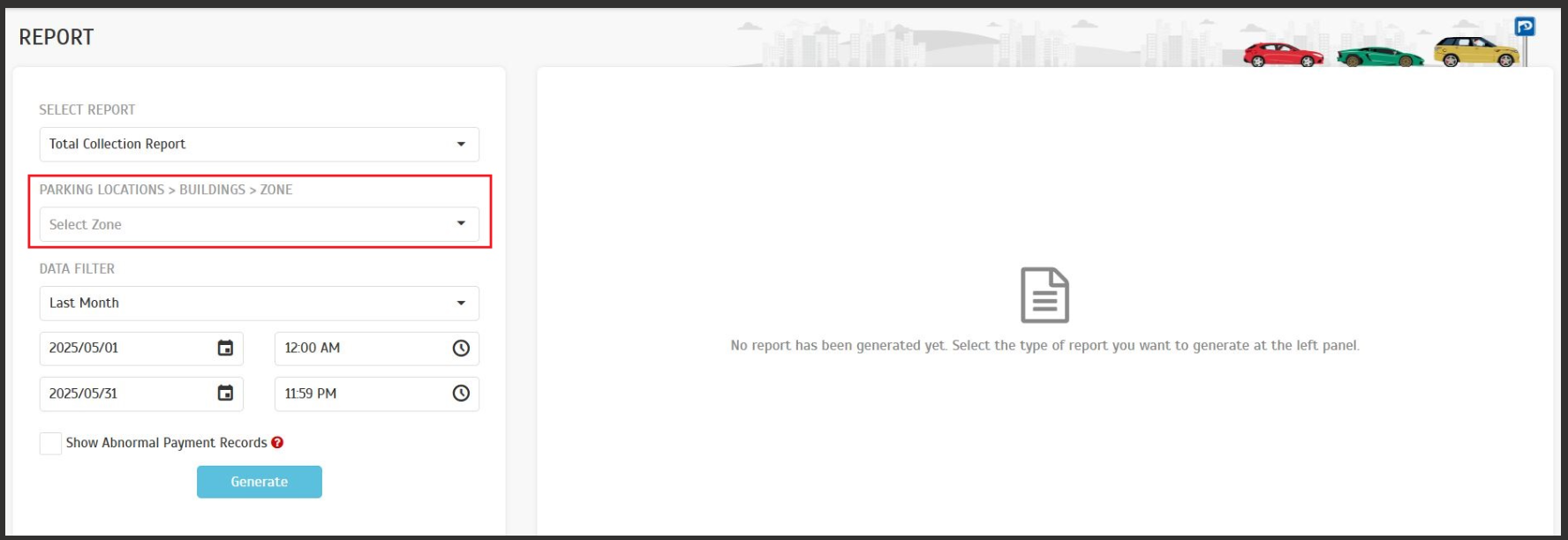
Operators can now generate reports based on specific zones.
Found at: Report > Analysis > Total Collection Report
Select one or multiple zones to view collection data filtered accordingly. This applies to all payment types and helps with more granular financial analysis.
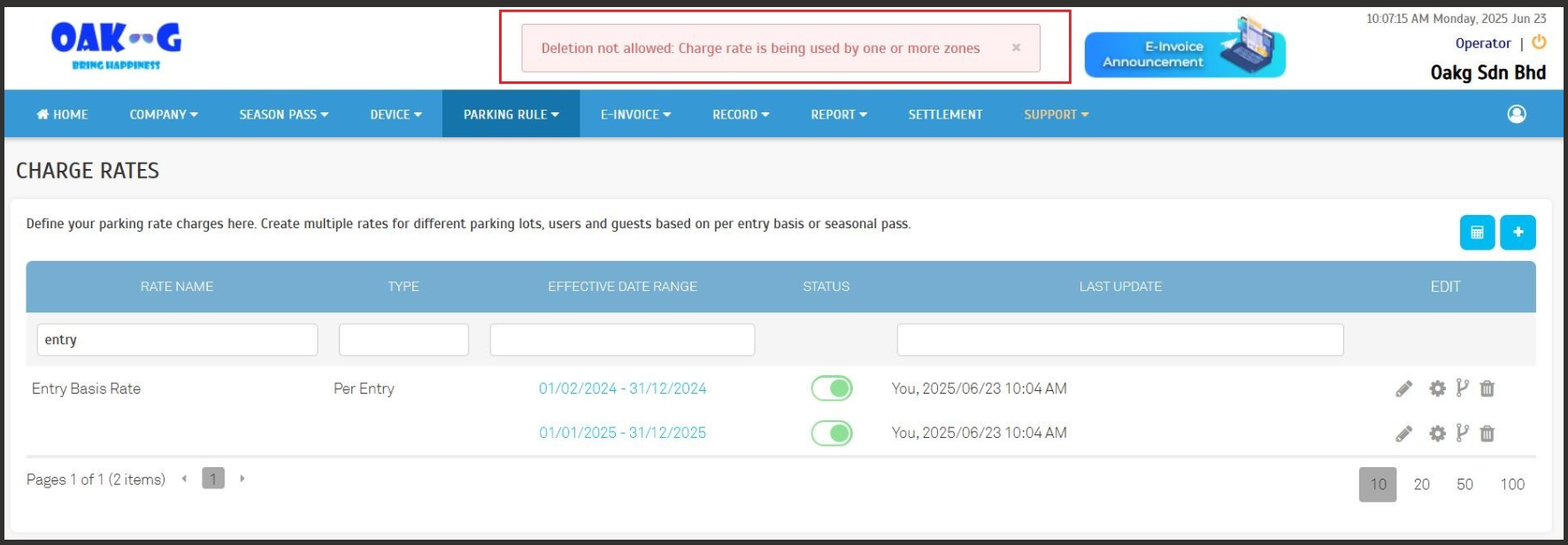
5. Charge Rate Protection – Prevent Deletion of In-Use Rates
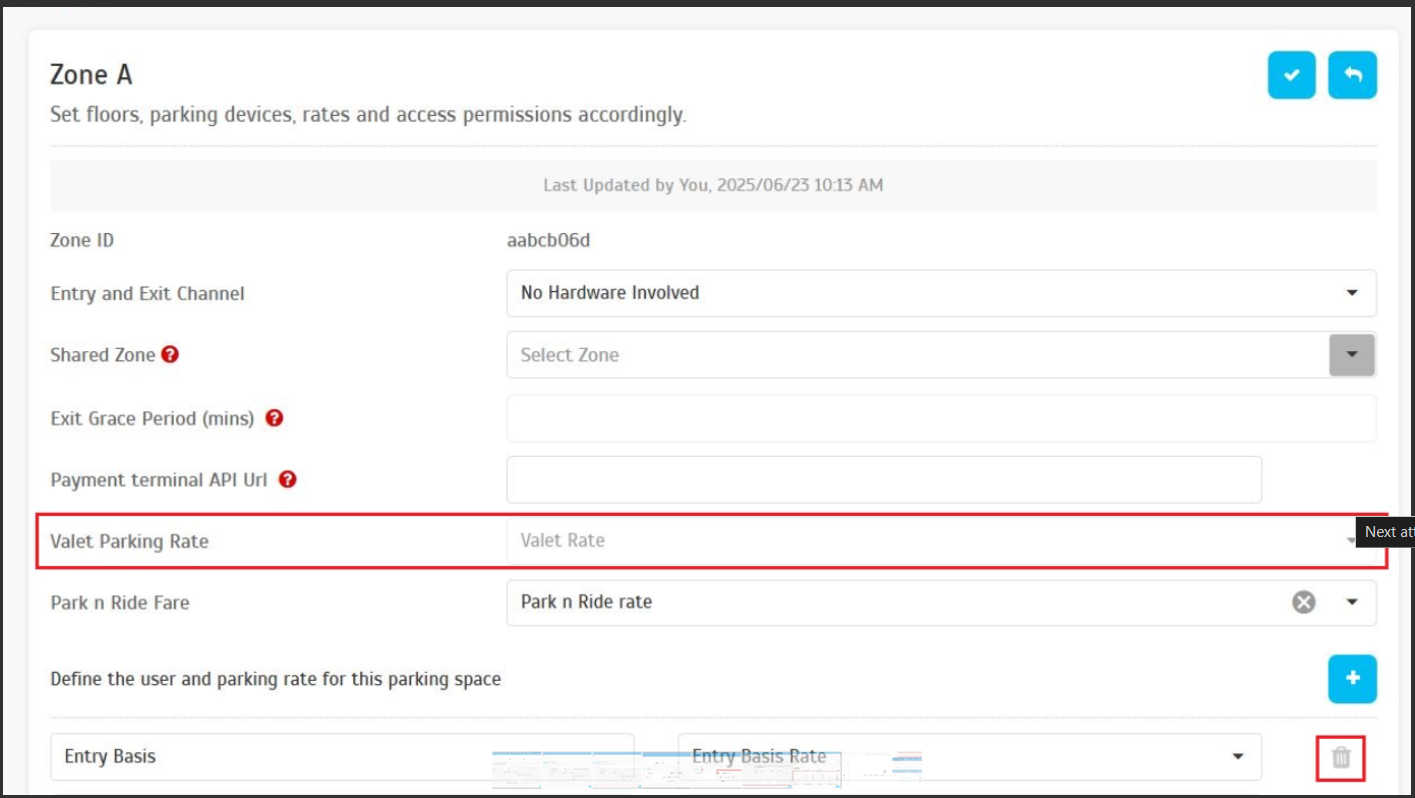
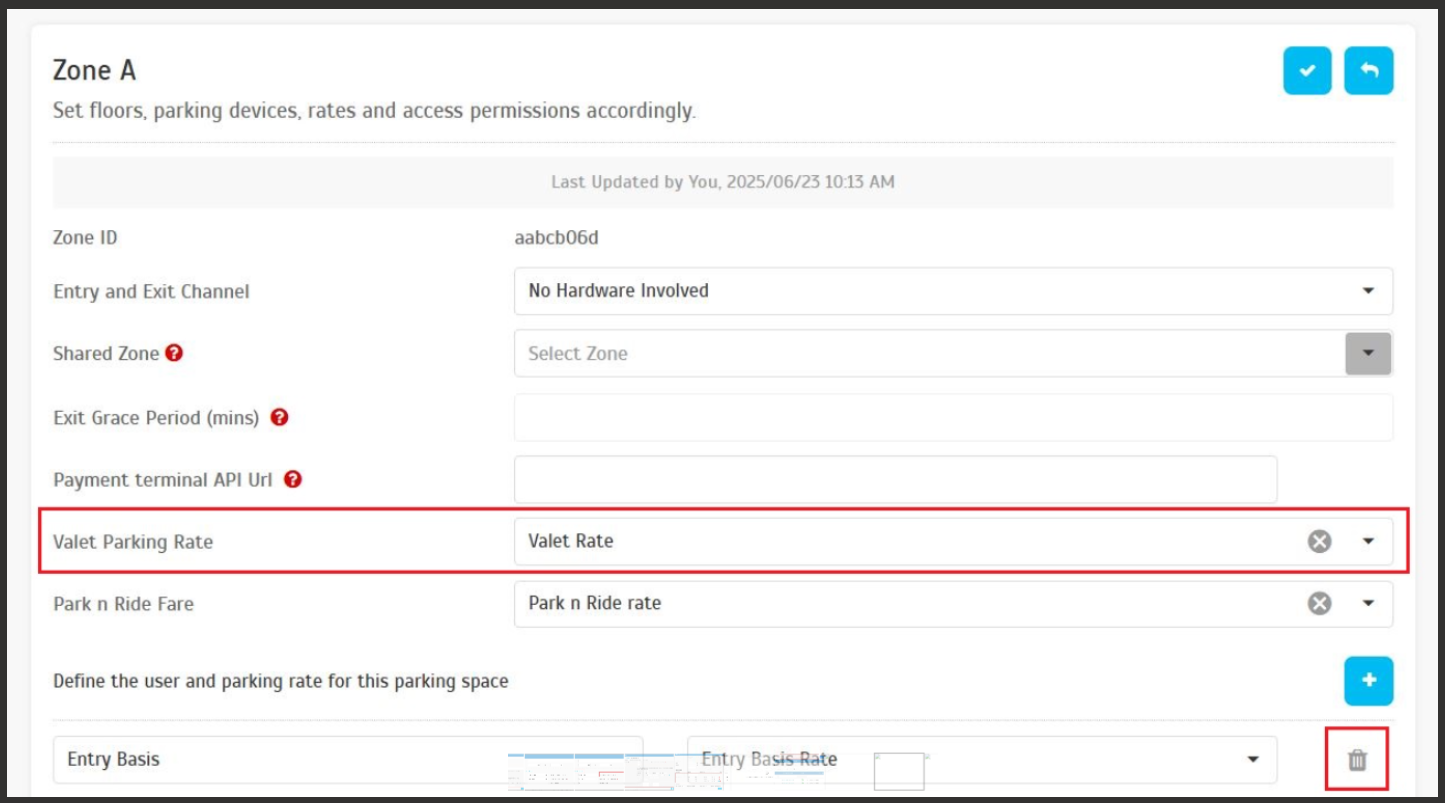
To avoid accidental misconfigurations, charge rates assigned to parking zones cannot be deleted until:
- They are unassigned from all zones, and
- There are no active vehicle entries using them.
If active entries exist in a zone, the system will not allow the charge rate setup to be removed.
Once all active entries are cleared, the operator can safely remove the setup, and then delete the charge rate.
This applies to both Entry Basis and Valet charge rates. If deletion is attempted while in use, the system blocks the action with a clear error message.
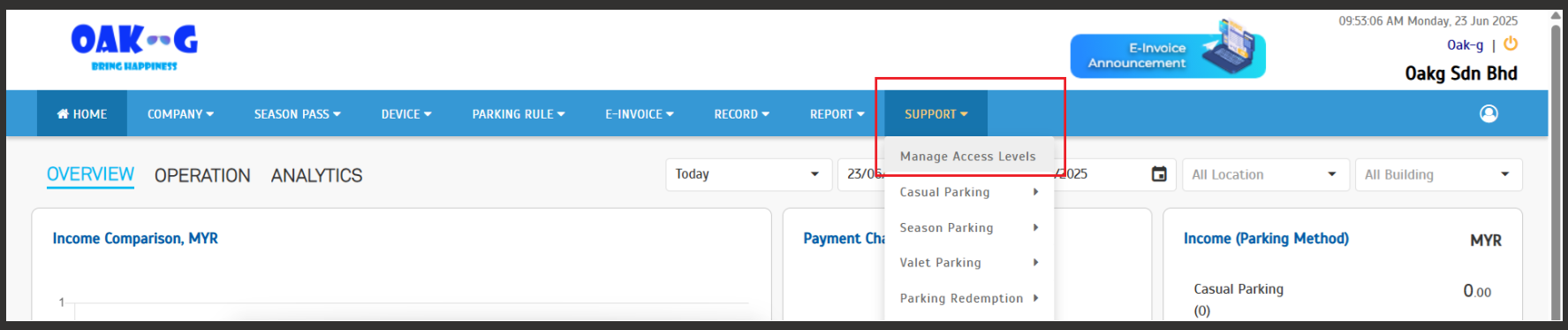
6. New: Manage Access Levels Guide
A helpful guide has been added under Support > Manage Access Levels, offering operators a better understanding of admin roles, responsibilities, and permission settings.
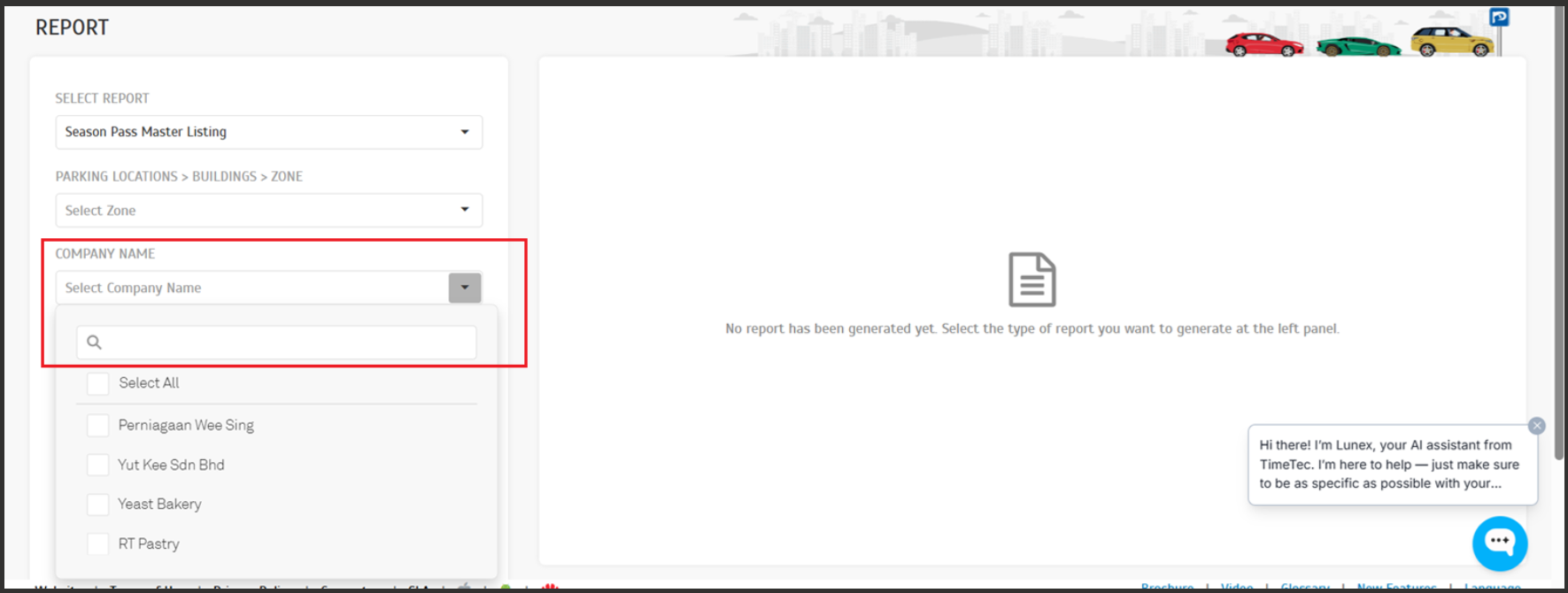
7. New: Company Search in Reports
For operators managing multiple companies, the Company Filter in the report module now supports search functionality, making it faster and easier to locate and select the desired company.