|
|
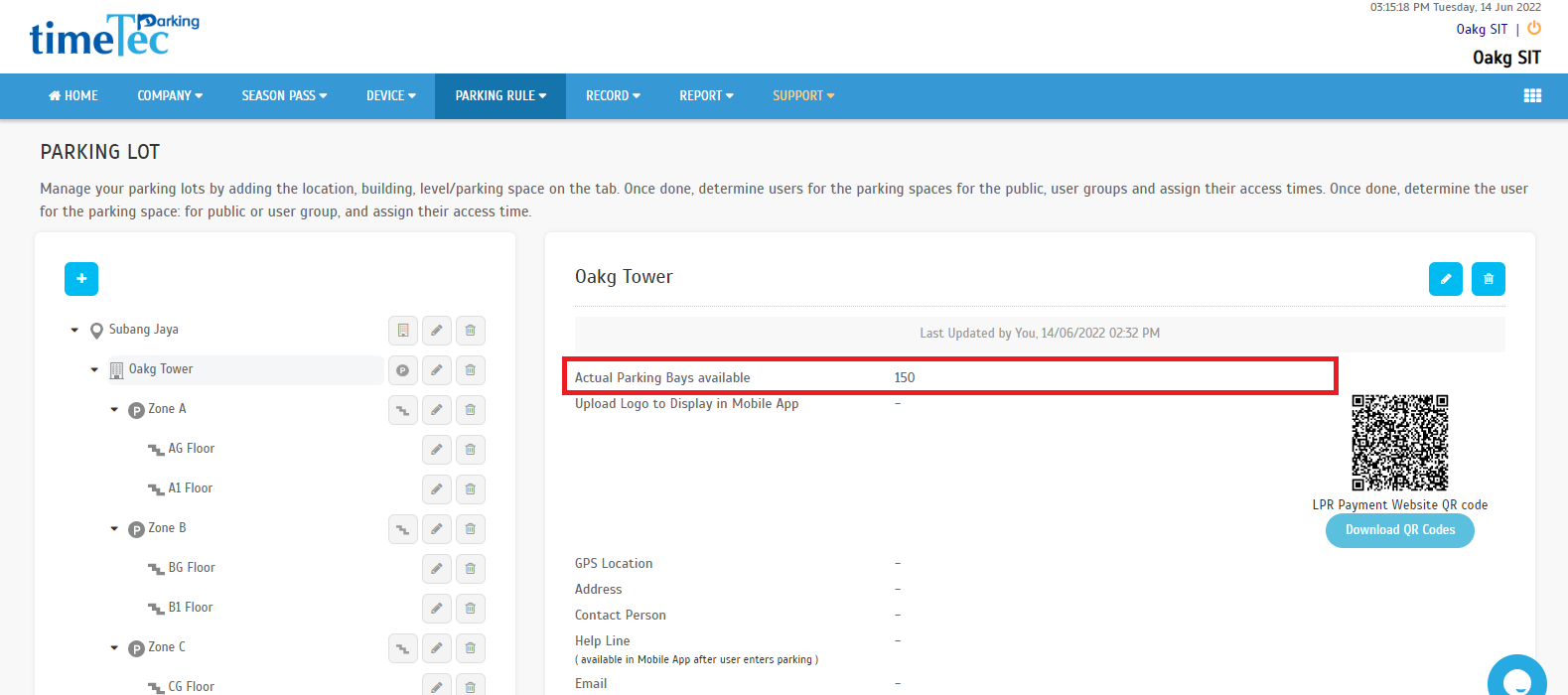
| a. Added the actual parking bay count by building. |
 |
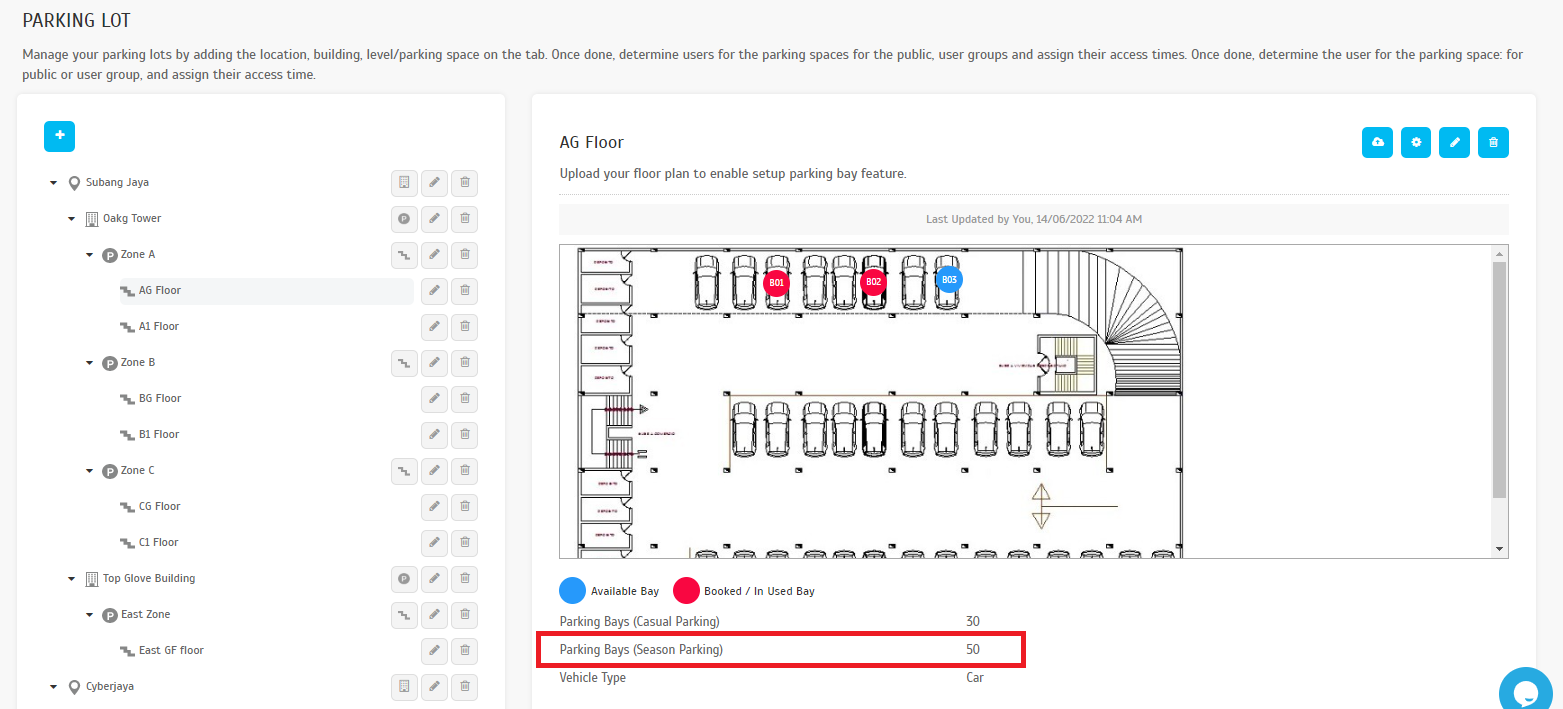
| b. Amend parking space on the parking floor i. Renamed parking spaces as Parking Bays (Season Parking) to control the season pass purchase limit. |
 |
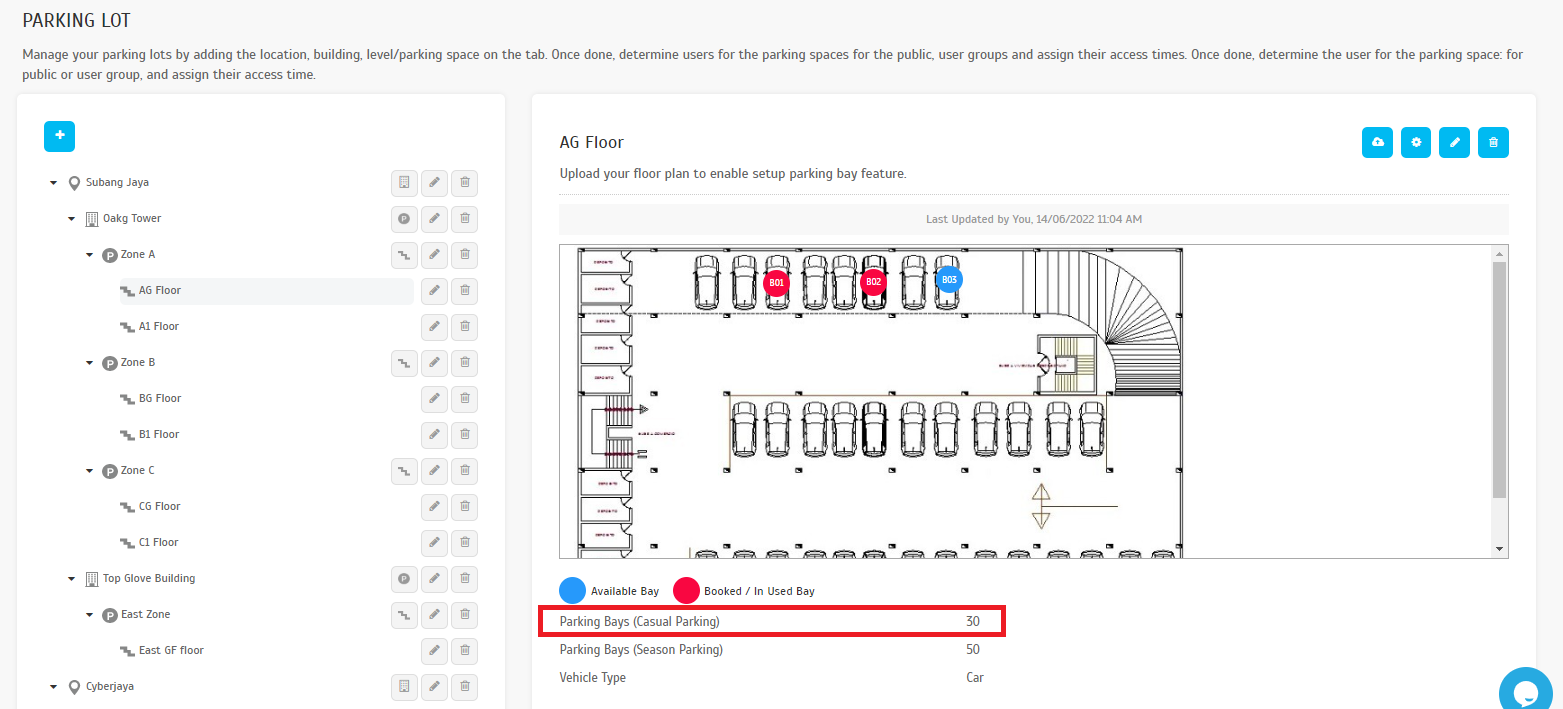
| ii. Added Parking Bays (Casual Parking) to indicate the number of parking bays allocated for the casual parking, which will also reflect in Casual Parking section in the Dashboard. |
 |
| a. Added Analytics Tab. This tab provides analytical data such as the amount of daily and monthly revenue with increase/decrease percentage indicator, parking consumption, etc. |
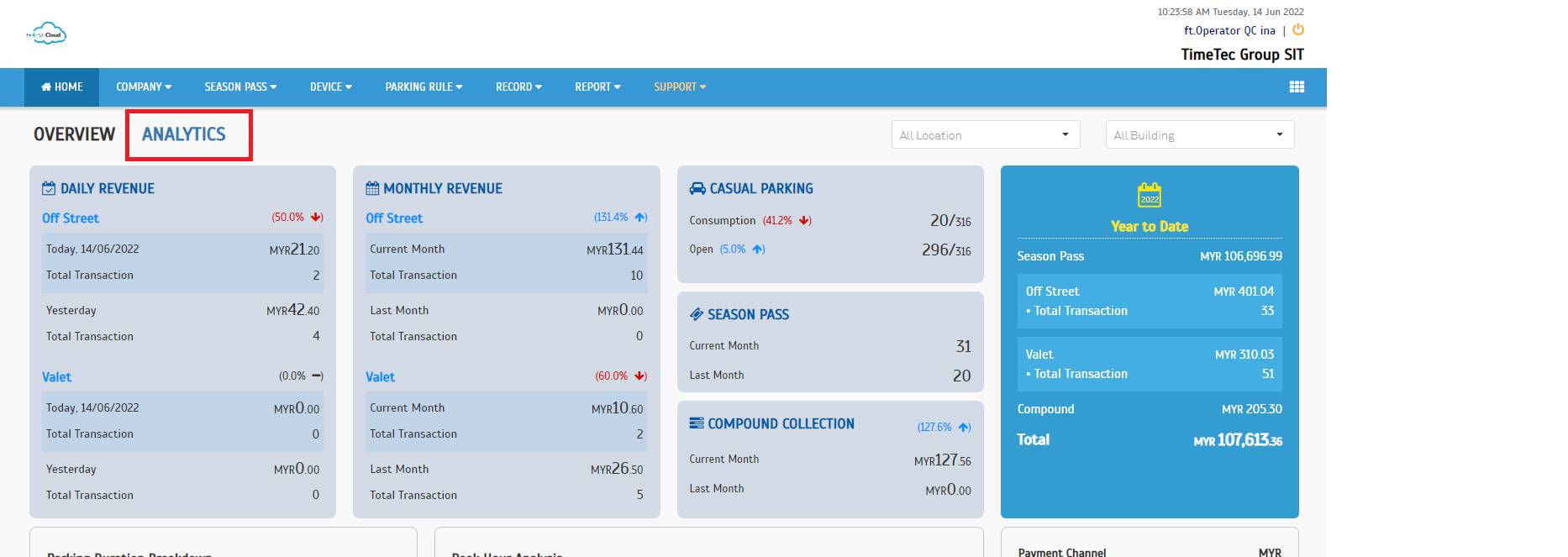 |
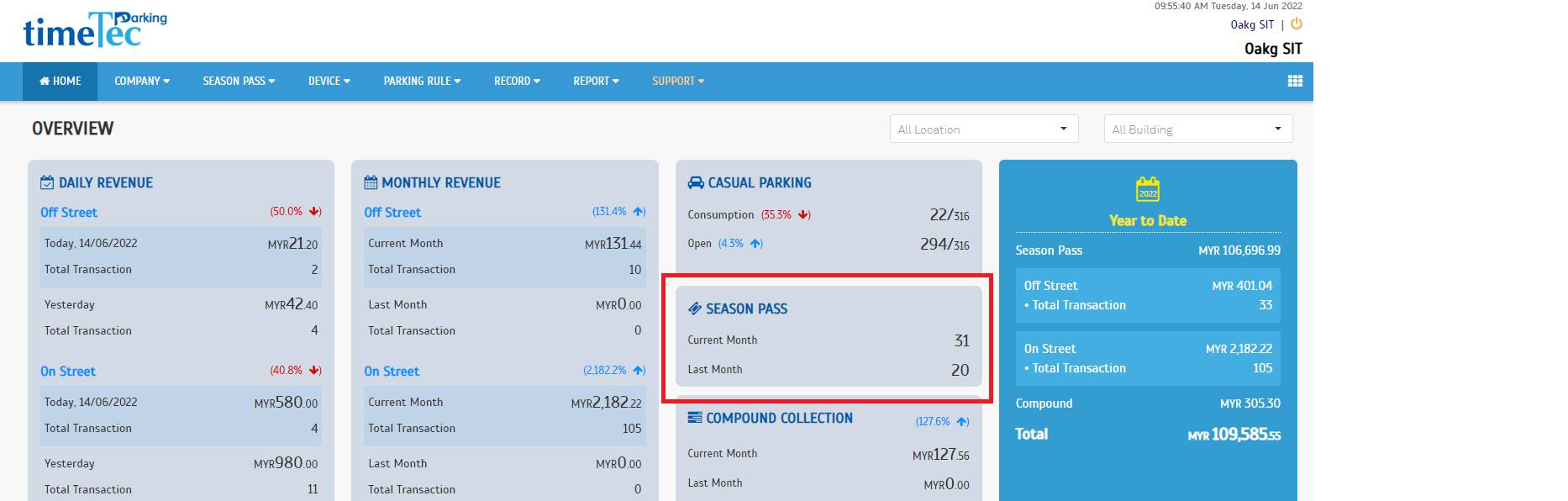
| b. Season Pass section gives a summary of new and renewed passes based on the payment date. |
 |
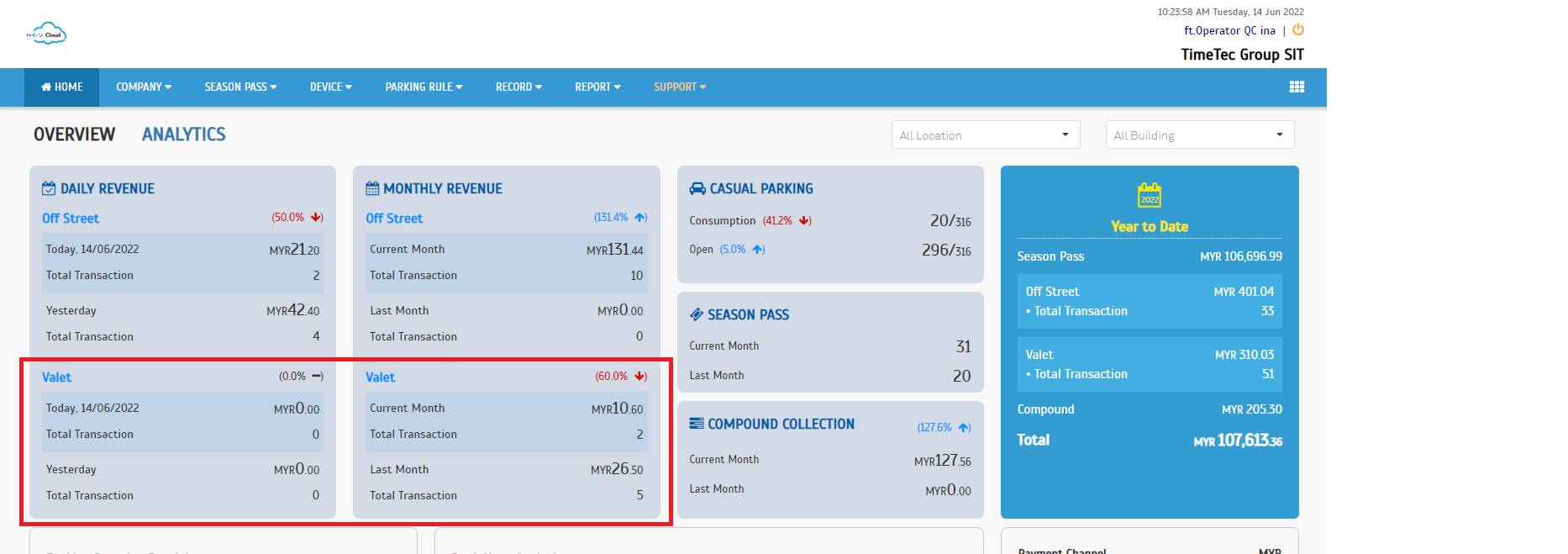
| c. Dynamic display for On Street, Off-Street and Valet Parking i. Default setting (Valet + Off-Street Setting) |
 |
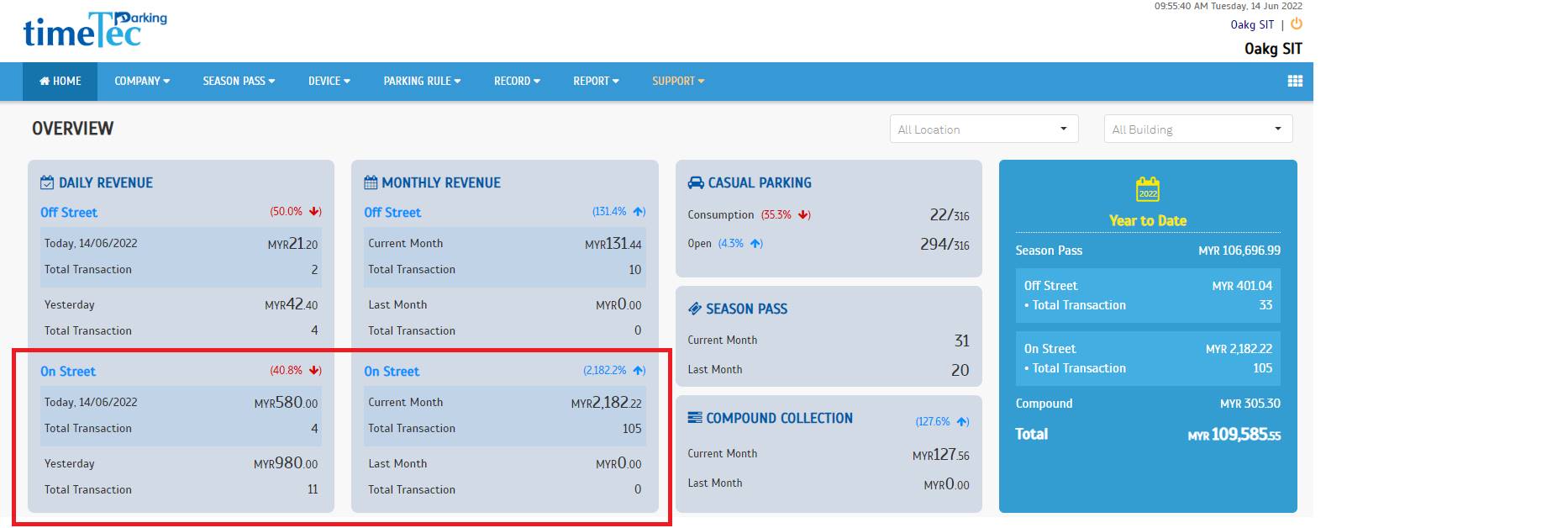
| ii. On Street and Off-Street Setting |
 |
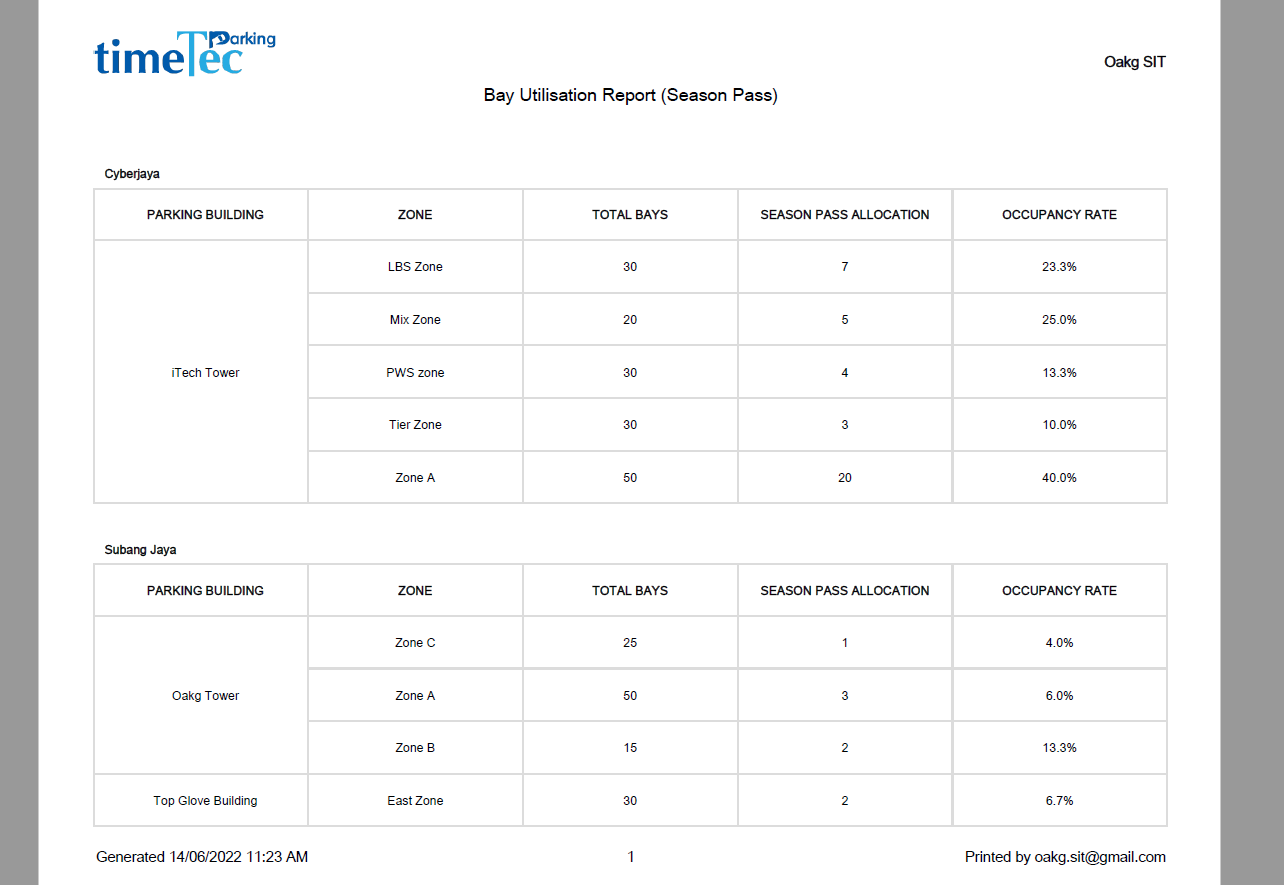
| a. Bay Utilisation Report (Season Pass) |
 |
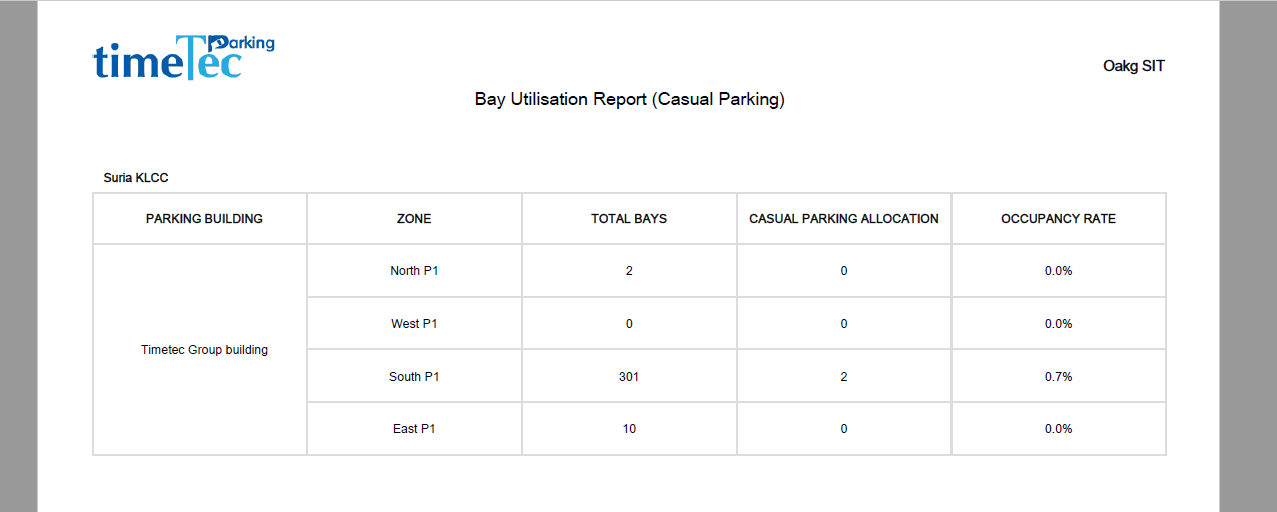
| b. Bay Utilisation Report (Casual Parking) |
 |
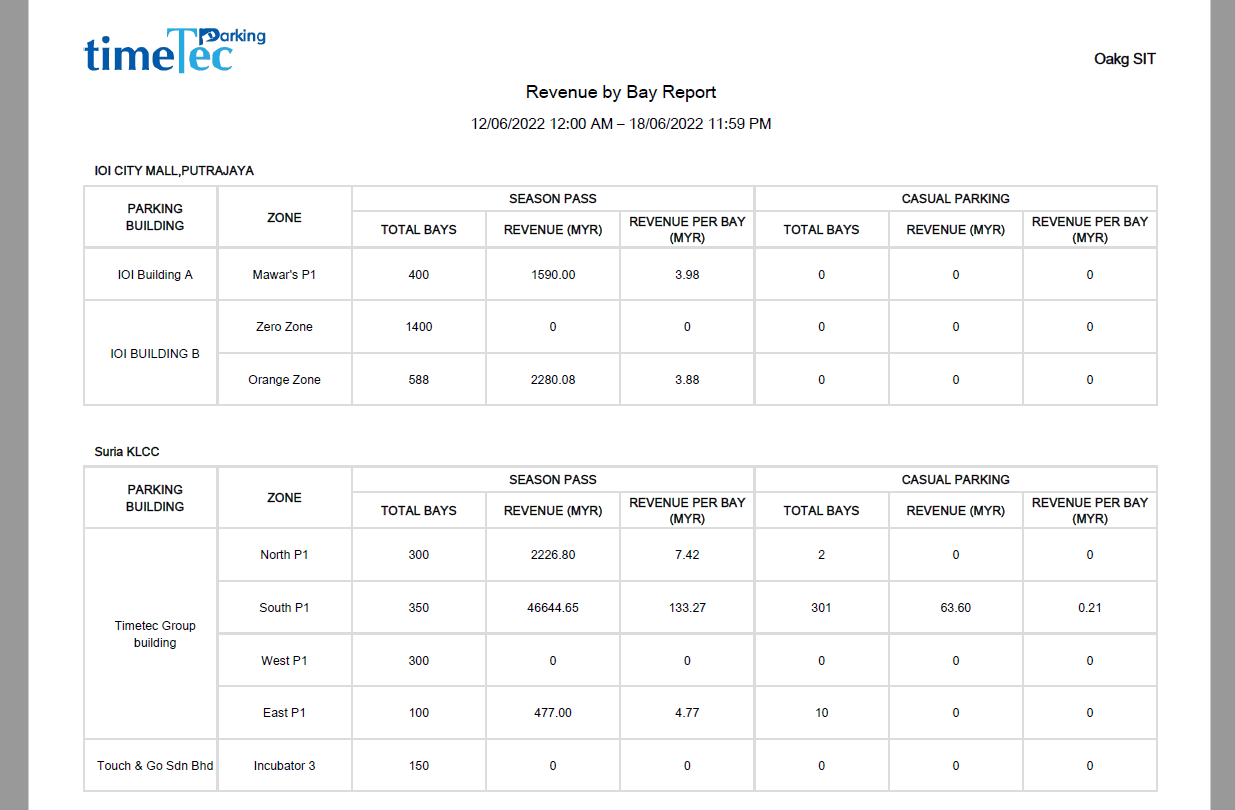
| c. Revenue by Bay Report |
 |
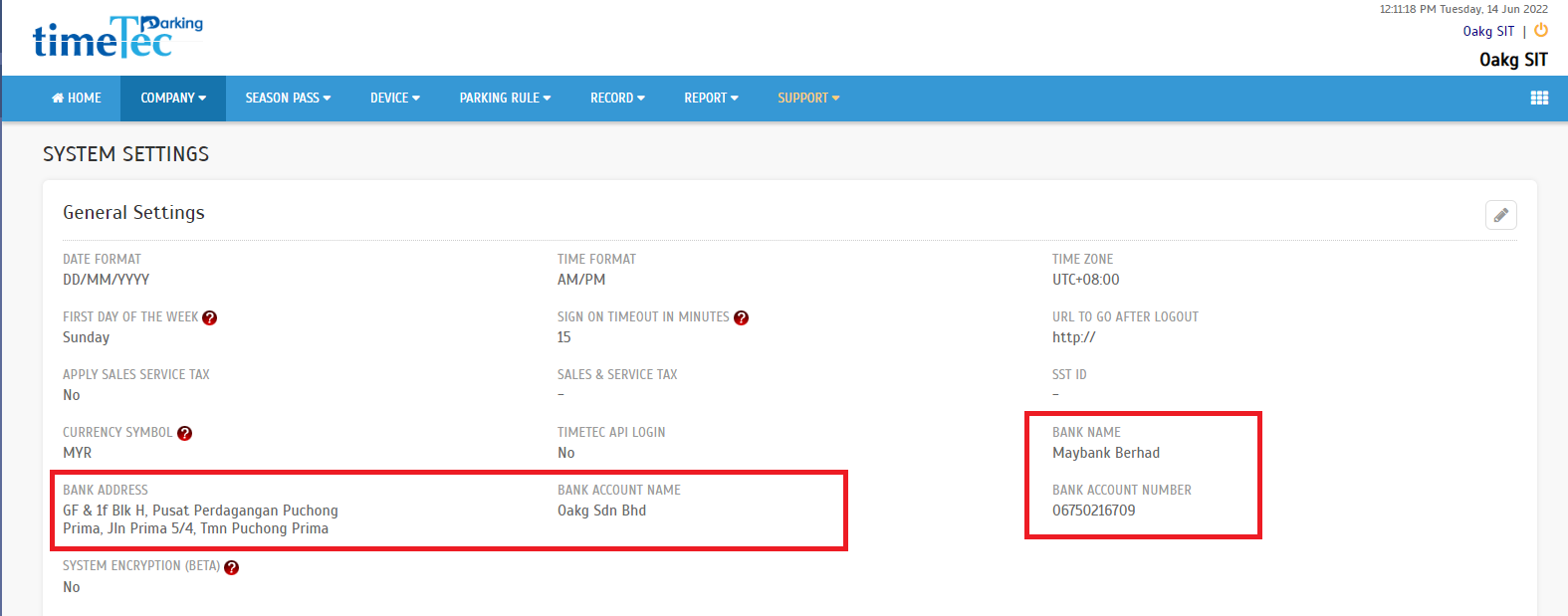
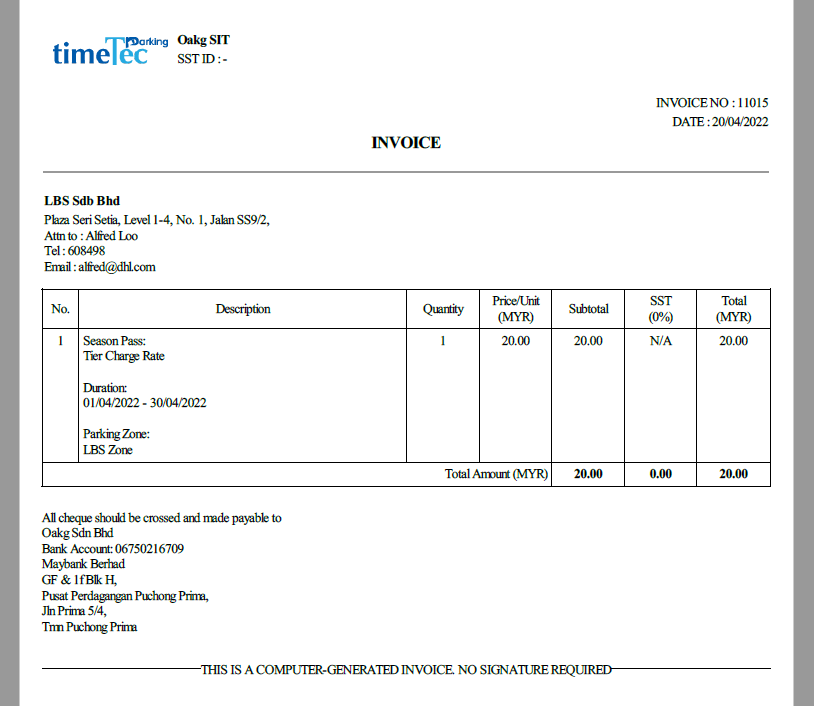
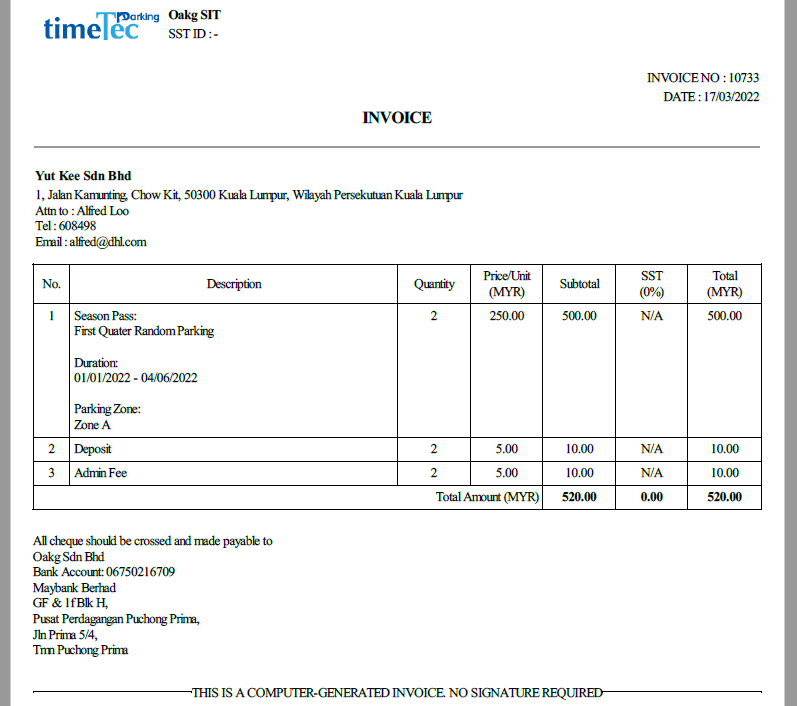
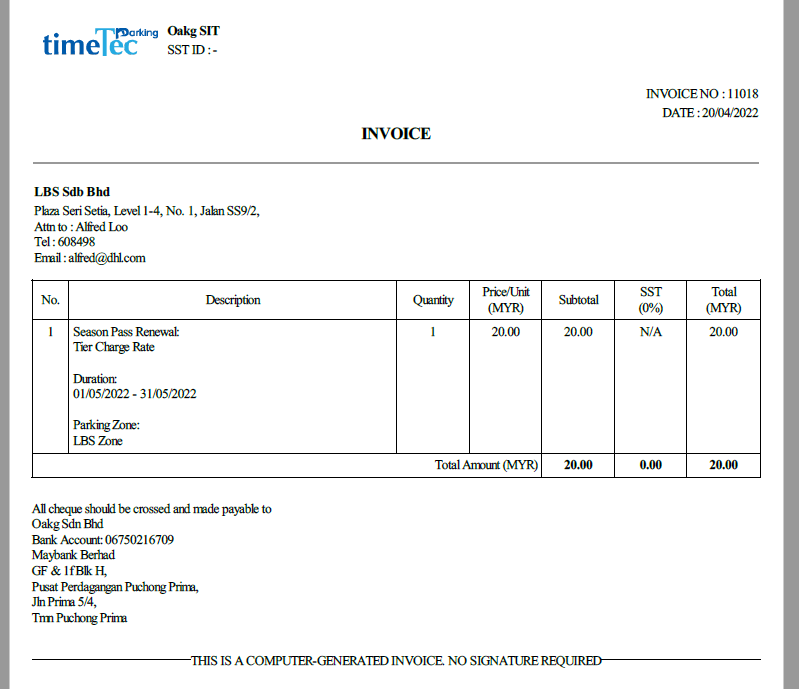
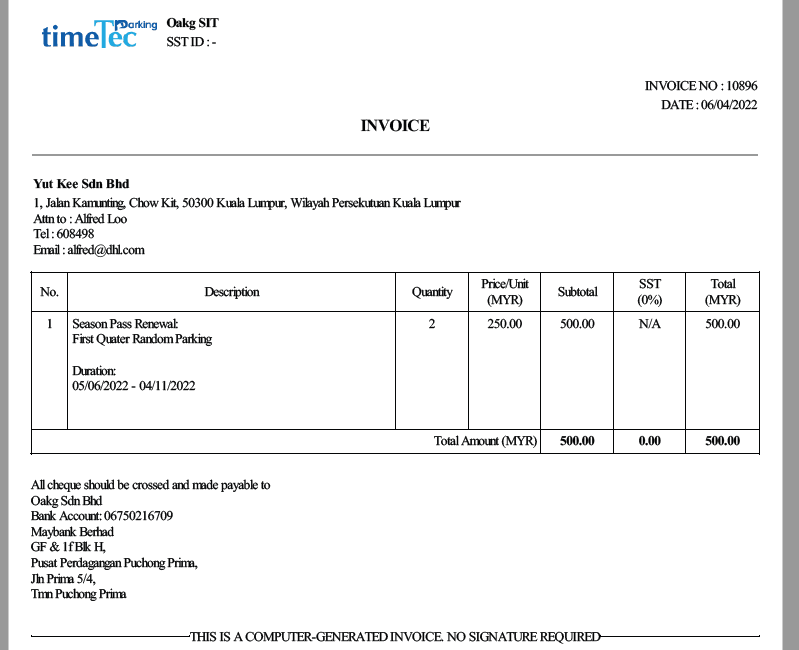
| A new field for bank information is added to cater for the new invoice format. The added bank information will reflect in the invoice automatically, so make sure all information is correct. a. Added Bank Name, Bank Address, Bank Account Name, and Bank Account Number fields. |
 |
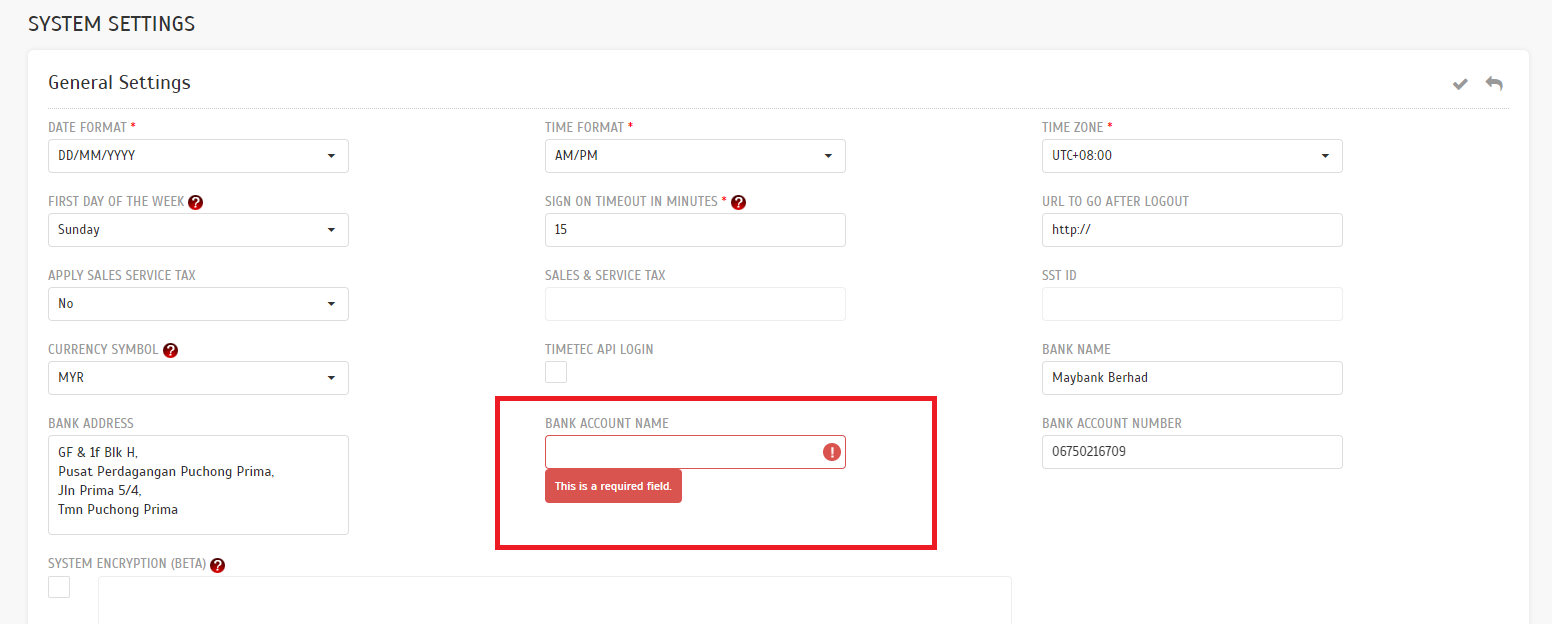
| b. Required to fill up all information if either one bank information is being filled up. |
 |
| a. Individual Purchase Invoice |
 |
| b. Company purchase Invoice |
 |
| c. Renew Season Pass |
 |
| d. Company Renew Pass |
 |
| Previous Issue: April 2022 |
| Note: If some of the screenshots or steps viewed here are different from the ones in the current system, this is due to our continuous effort to improve our system from time to time. Please notify us at info@timeteccloud.com, we will update it as soon as possible. |