1. Require Remark on Rate Override (Handheld Device)
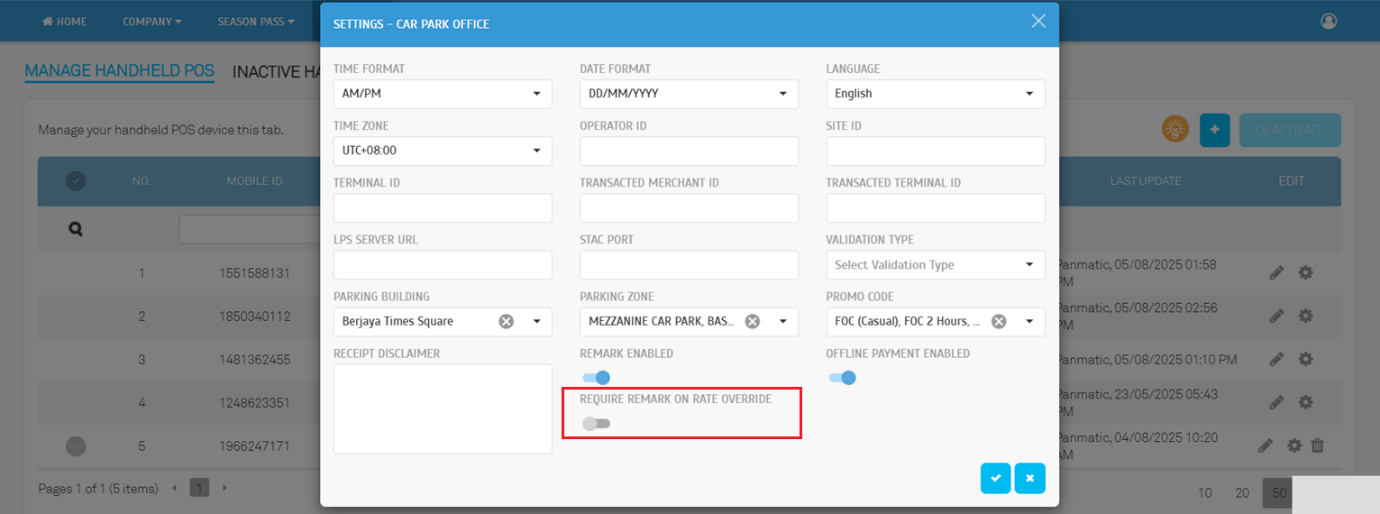
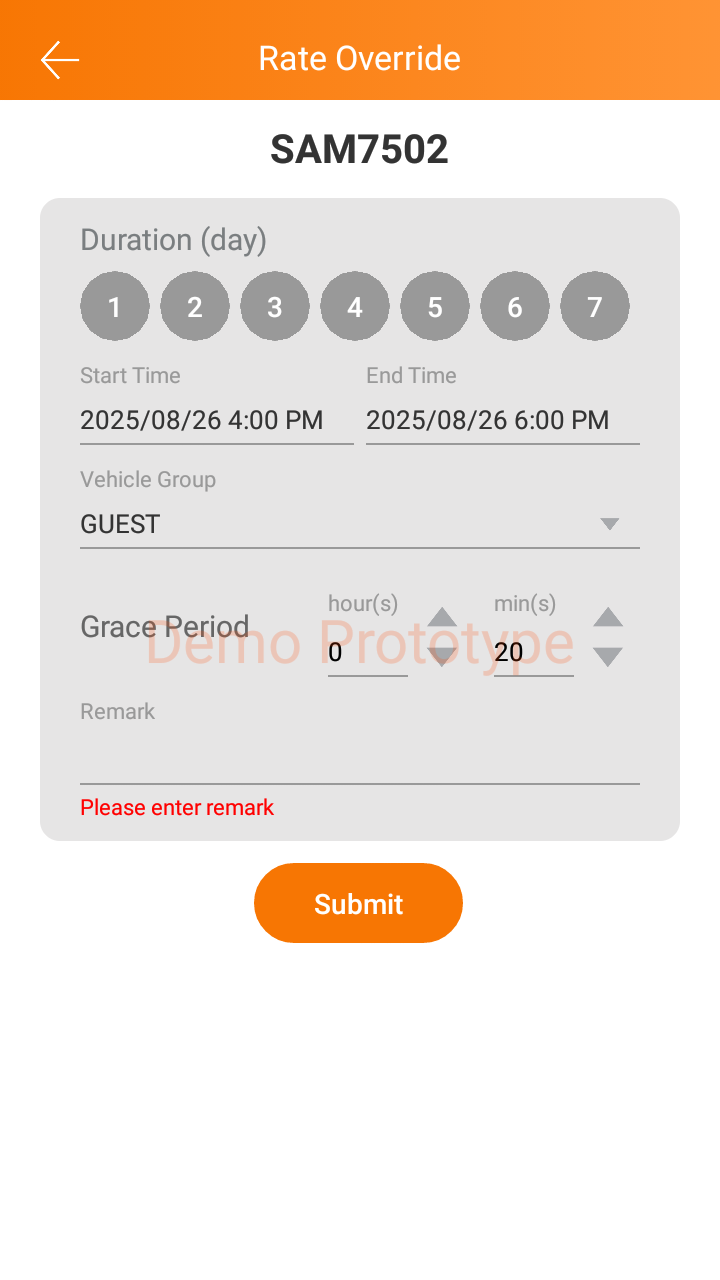
A new configuration toggle “Require Remark on Rate Override” has been added for handheld devices.
• When enabled, operators must provide a remark before completing any rate override action.
• This ensures proper justification and accountability, strengthening audit trails and compliance.
Operator View:
Device > Manage Handheld → Click the Settings button to configure or review.
2. Enhanced Rate Override Log with User & Device Tracking
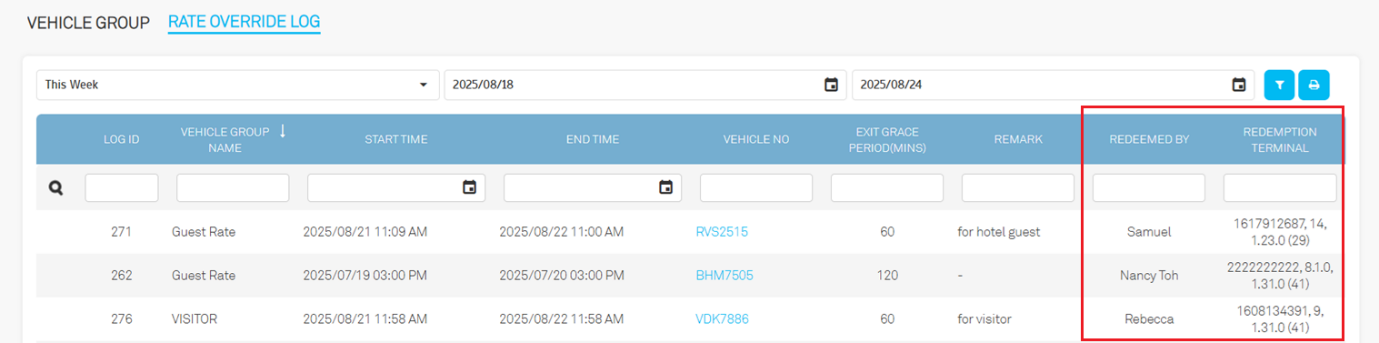
We’ve added two new columns in the Rate Override Log for improved traceability:
• Redeemed By – Shows the operator’s login username.
• Redemption Terminal – Displays the handheld device description used for the override.
Operator View:
Parking Rule > Vehicle Group > Rate Override
Redeemed By - Displays the login username of the operator who performed the rate override.
Redemption Terminal - Shows the description of the handheld device from which the override was executed.
3. New “Redemption By” Filter in Redemption Log Report
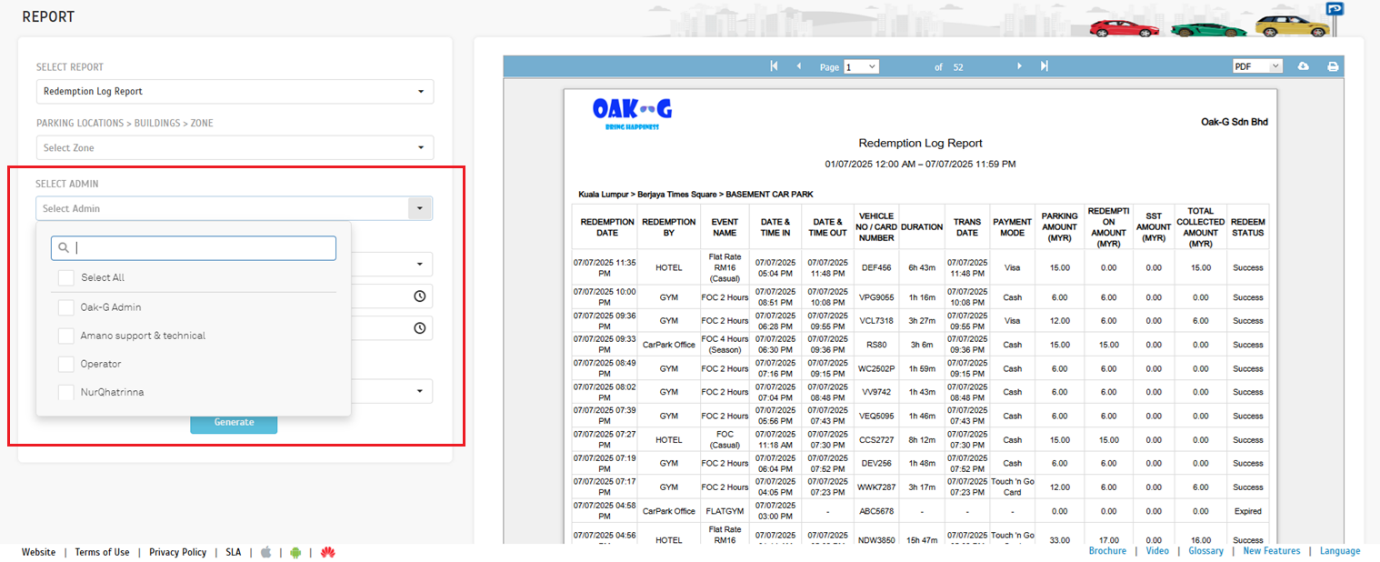
The Redemption Log Report now includes a Redemption By filter.
• Filter report results based on the operator who performed the redemption.
• Improves traceability, accountability, and review efficiency.
Operator View:
Report > Parking > Redemption Log Report
A new filter option, Redemption By, has been added to the Redemption Log Report.
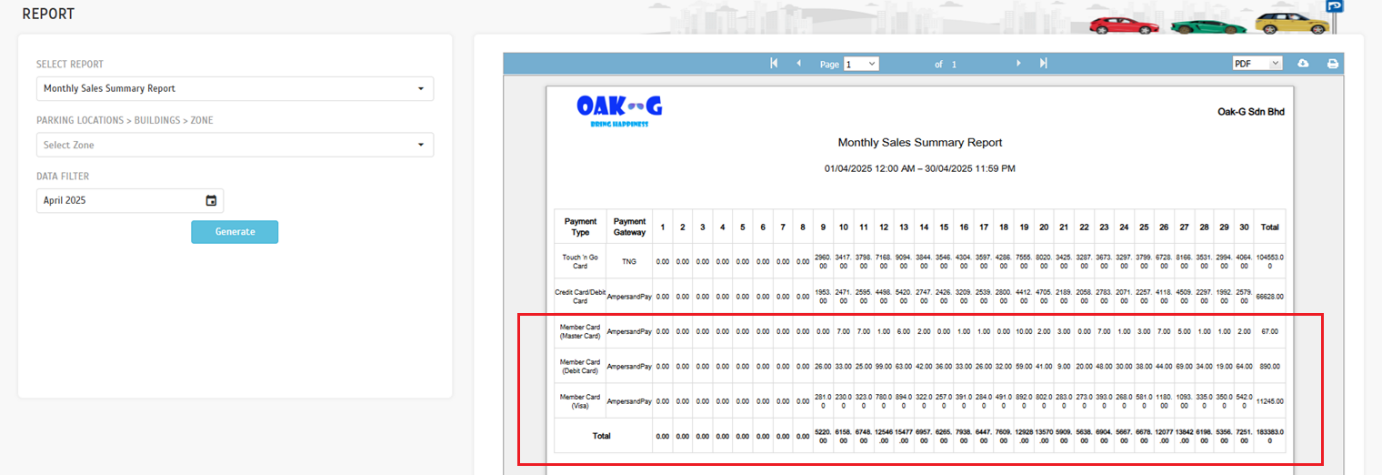
4. Monthly Sales Summary Report: Member Card Collection
The Monthly Sales Summary Report now supports Member Card Collection.
• Transactions made using Member Cards are captured as a distinct collection category.
• Provides clearer financial reporting and analysis.
Operator View:
Report > Analysis > Monthly Sales Summary Report
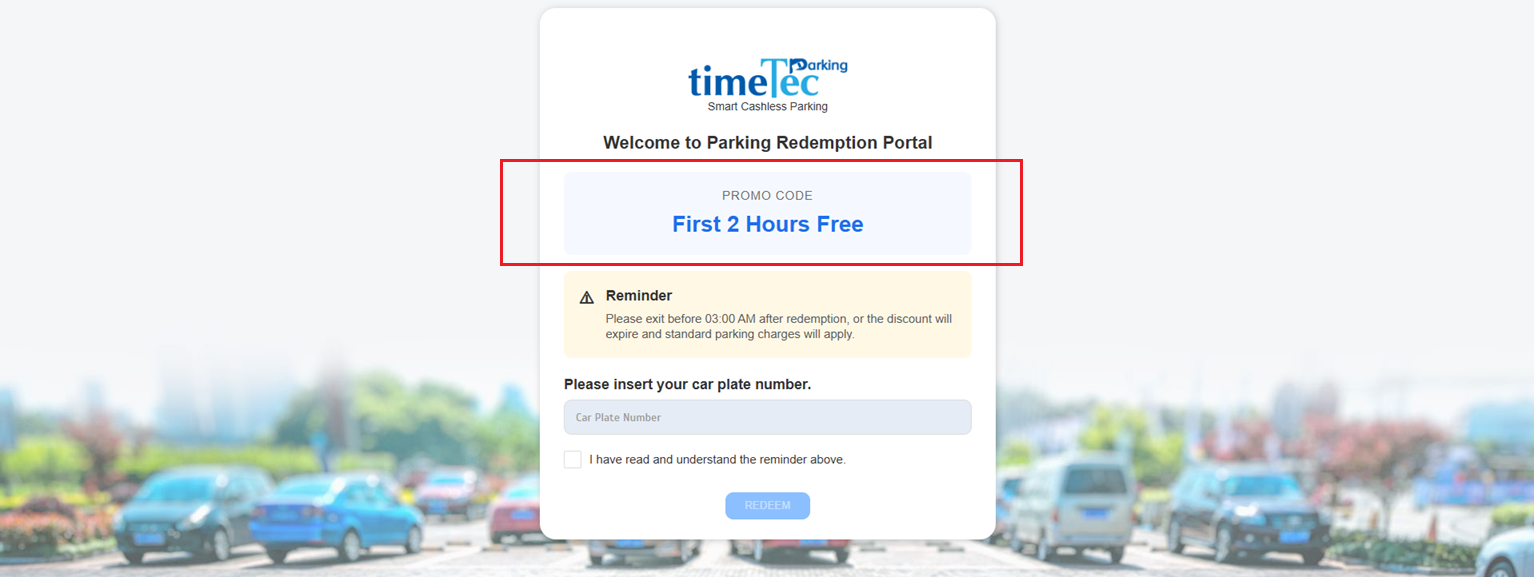
5. Redemption Portal UI: Display of Promo Code Name
The Redemption Portal interface has been updated to show the Promo Code Name alongside redemption details.
• Makes it easier to identify and verify applied promotions.
• Reduces errors and improves clarity during redemption.
User View:
Parking Redemption Portal
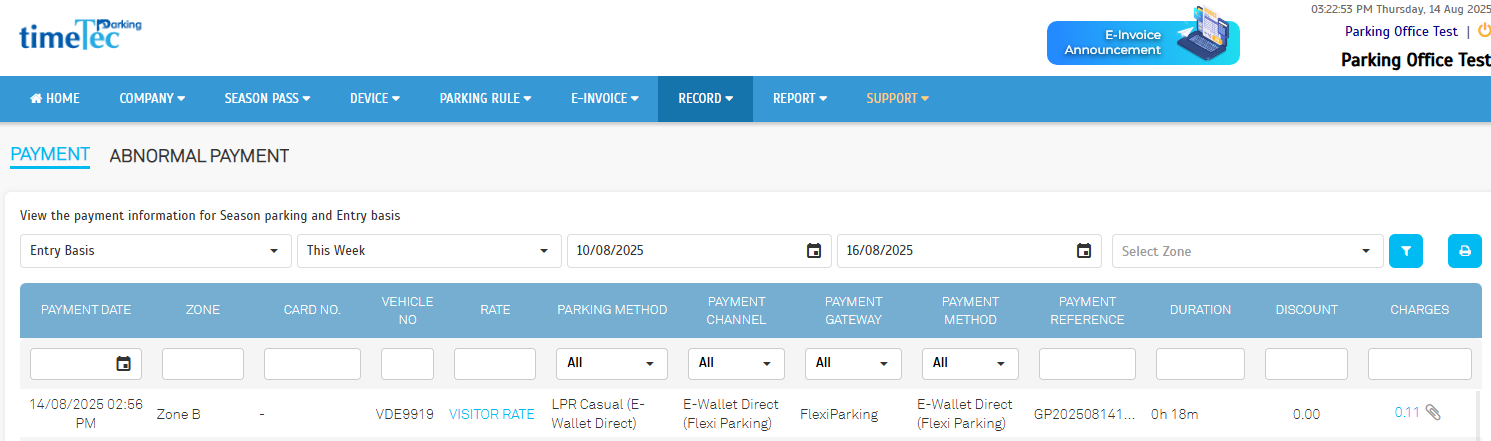
6. Introducing Flexi Parking e-Wallet Direct
Flexi Parking users can now enjoy direct e-Wallet payments at supported parking sites.
• Enables seamless and faster payment by linking directly to the user’s e-Wallet.
• Eliminates extra steps for a smoother parking experience.
Operator View:
Record > Payment (Entry Basis)
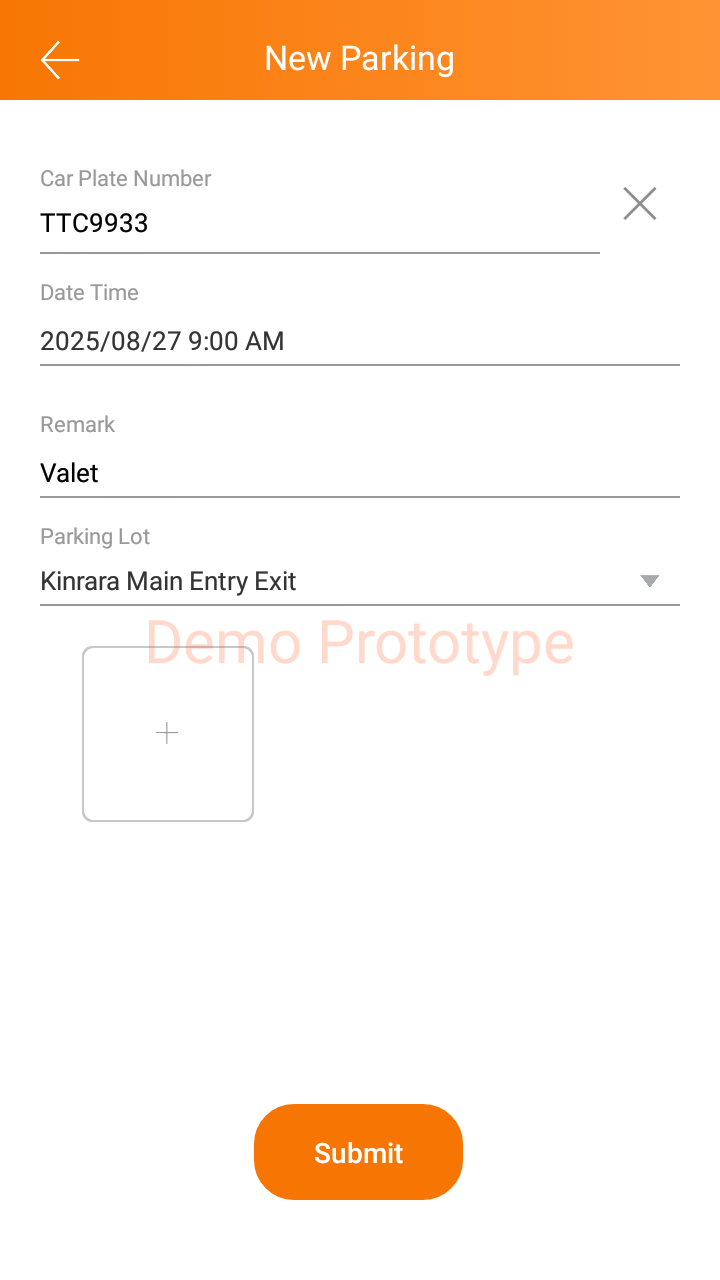
7. Valet
Users can now customize the date and time when creating a new Valet record.
8. Rate Override
When "Require Remark on Rate Override" is enabled in the web settings, users must enter a remark.