1. E-Invoice Record Portal – Batch Request Support
The e-Invoice Record Portal now includes support for batch requests. This feature allows users to search for and request multiple e-invoices in a single submission, streamlining the process of accessing records.
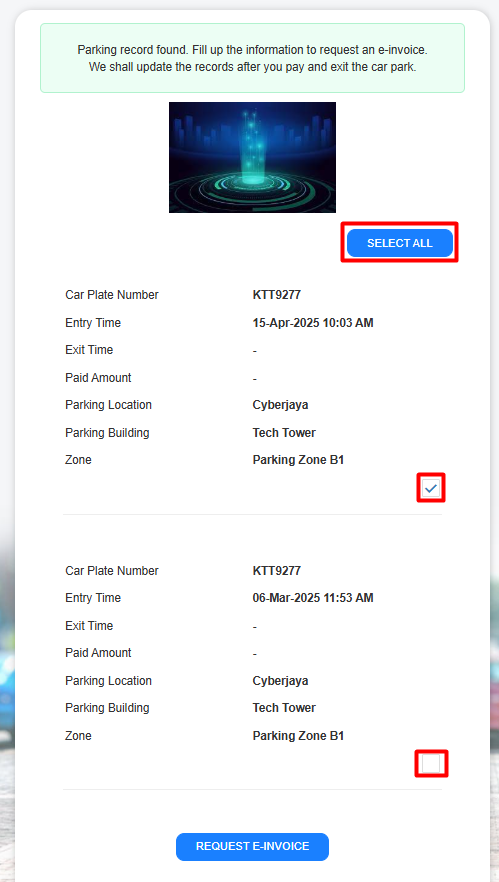
Step 1 – insert car number plate at the request portal
Step 2 - Users can now search and select multiple entries simultaneously to request e-Invoices in one action. This enhancement significantly improves efficiency and streamlines the user experience for bulk e-Invoice requests.
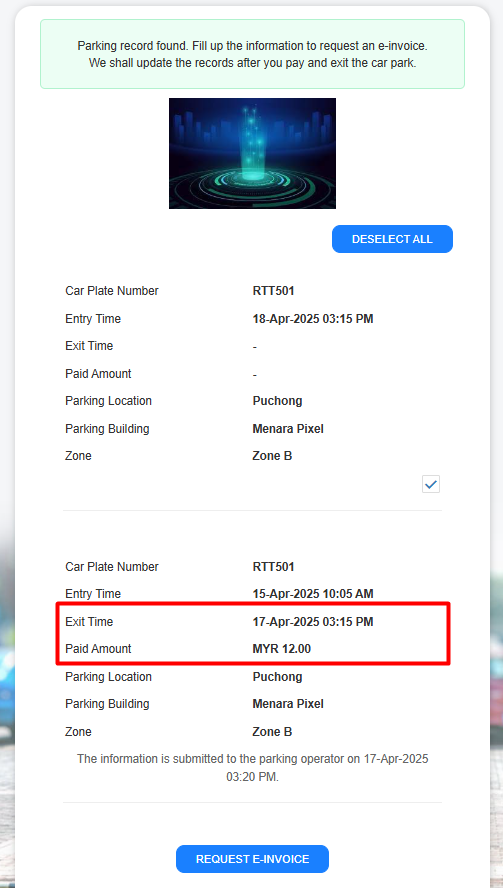
Additional Entry Details: The portal now displays two new data fields for each entry:
- Exit Time: Users can view the time of exit.
- Paid Amount: Users can see the amount paid.
This added transparency provides users with a more comprehensive understanding of their records
2. Payment Method Configuration
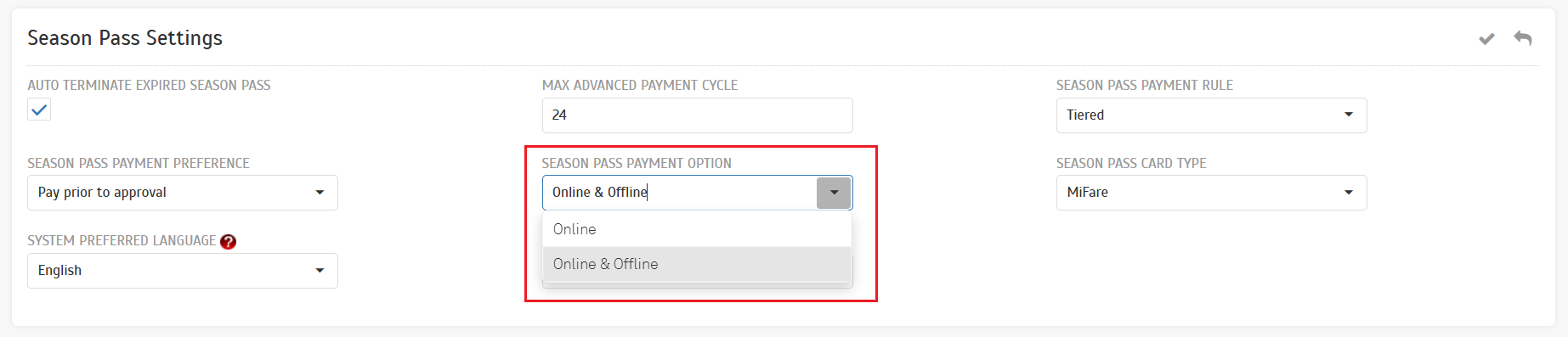
Operators can now configure payment methods, allowing them to choose between accepting only online payments or both online and offline payments.
The parking operator admin can navigate to Company > System Settings > Season Pass Settings. A new option, `Season Pass Payment Option`, has been added to configure payment methods.
- This change affects customers when they are trying to make a payment.If `Online` is configured, users will be automatically redirected to the payment gateway.
- When `Online & Offline Payment` is configured, users can select their preferred payment method.
3. Enhanced Flexibility with New Pass-By Rules Configuration for Entry
We're excited to introduce a powerful new feature that gives you greater control and customization over how entries are processed! With the new Pass-By Rules Configuration, operators can now define specific rules to achieve unique operational workflows.
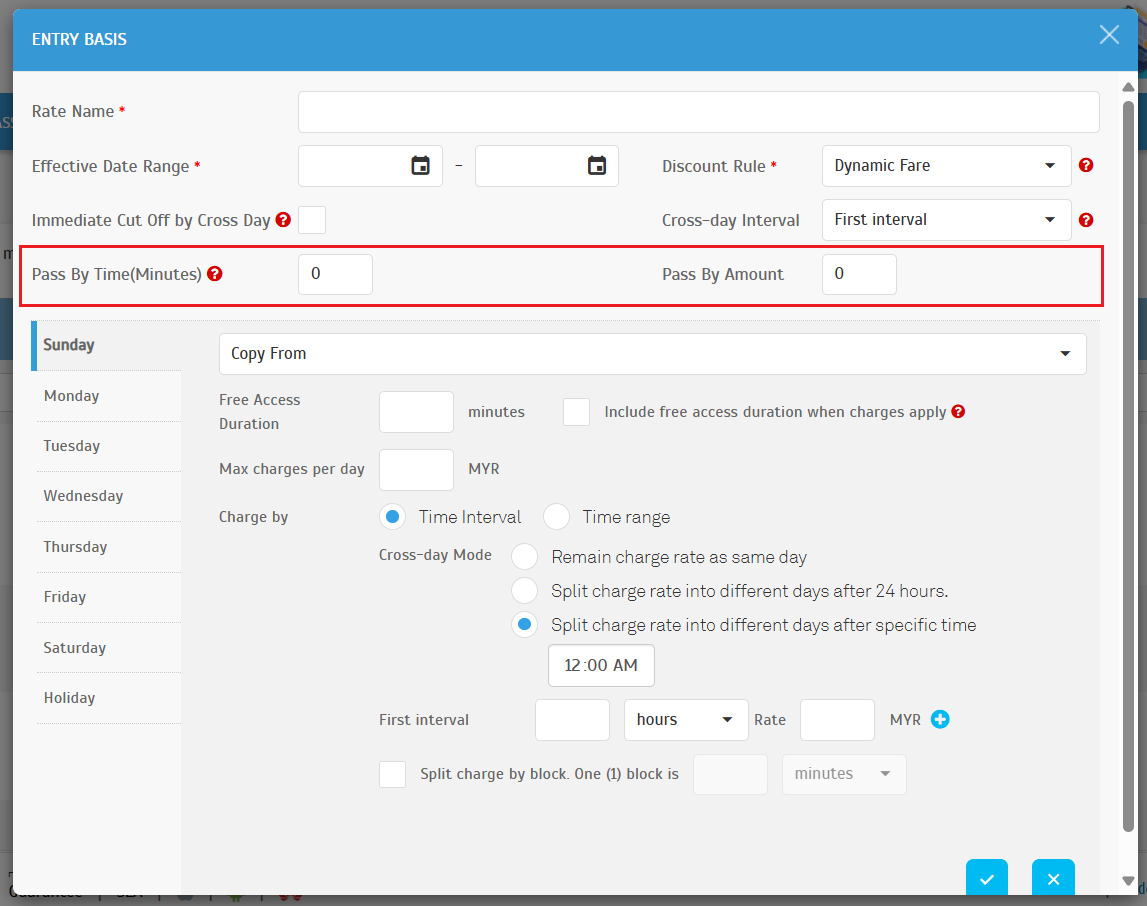
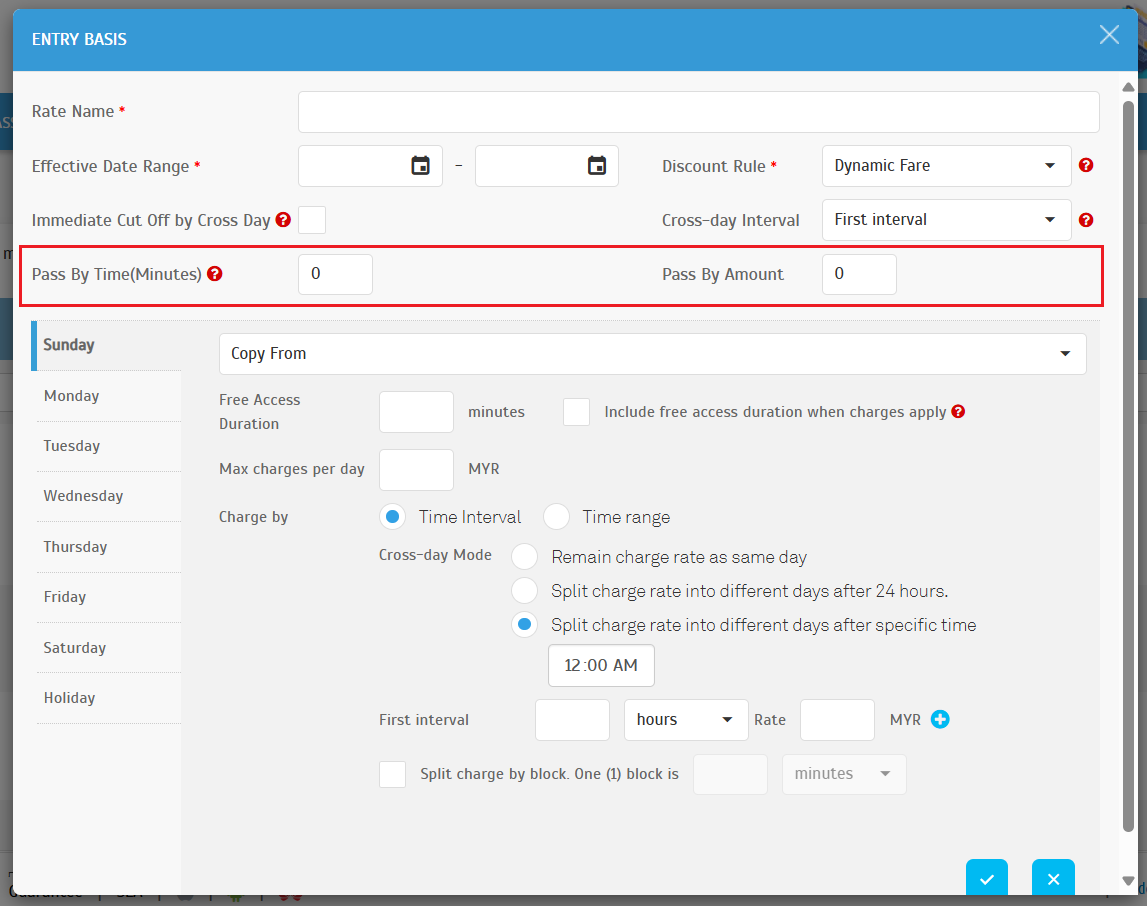
Operator View: Parking Rule > Charge Rates: Entry Basis
- Operators can configure the Pass By Time (in minutes) along with a corresponding Pass By Amount.
- This configuration applies when a Free Access Duration is set. Users are charged if they exit within the Pass By Time, but no charges apply if they exit after the Pass By Time but still within the Free Access Duration.
Example Use Case:
- Pass By Time: 5 minutes
- Pass By Amount: RM 3
- Free Access Duration: 10 minutes
- Scenario 1:
- User A: Enters the parking lot at 8:00 AM and exits at 8:03 AM.
- Outcome: User A is charged RM 3.
- Scenario 2:
- User B: Enters the parking lot at 8:00 AM and exits at 8:06 AM.
- Outcome: User B exits for free.
- Scenario 3:
- User C: Enters the parking lot at 8:00 AM and exits at 8:11 AM.
- Outcome: User C is charges the standard parking fee, as they exceeded the Free Access Duration.
4.Park & Ride Feature
We're excited to announce a new Park & Ride feature designed to make your journeys even more convenient and affordable! This feature offers special discounted parking rates for users taking advantage of Park & Ride facilities.
Now, operators can easily configure these discounted Park & Ride Fares by selecting from existing entry-based charge options. This means you can enjoy reduced parking costs when you park your vehicle and hop on public transportation.
Look for the Park & Ride option at participating locations and start saving on your parking fees! This is a great way to make your commute more economical and environmentally friendly.
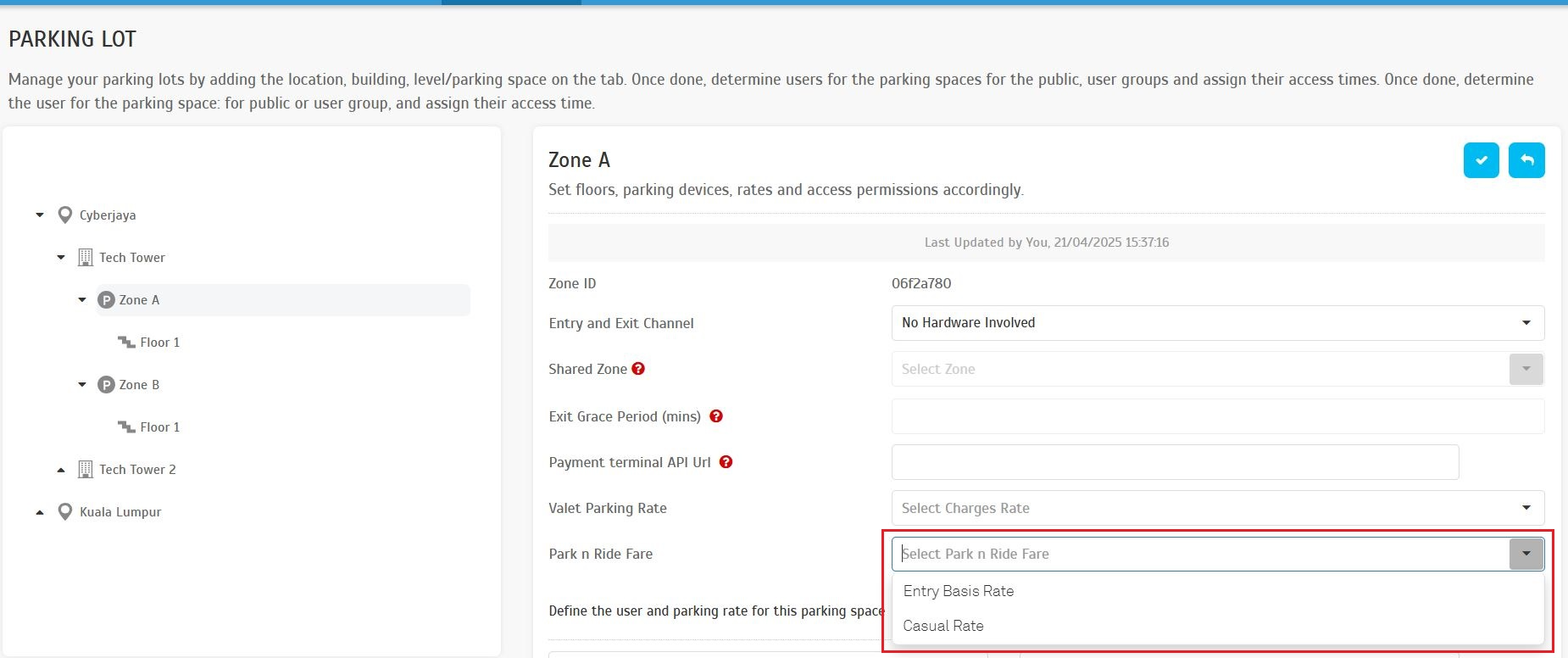
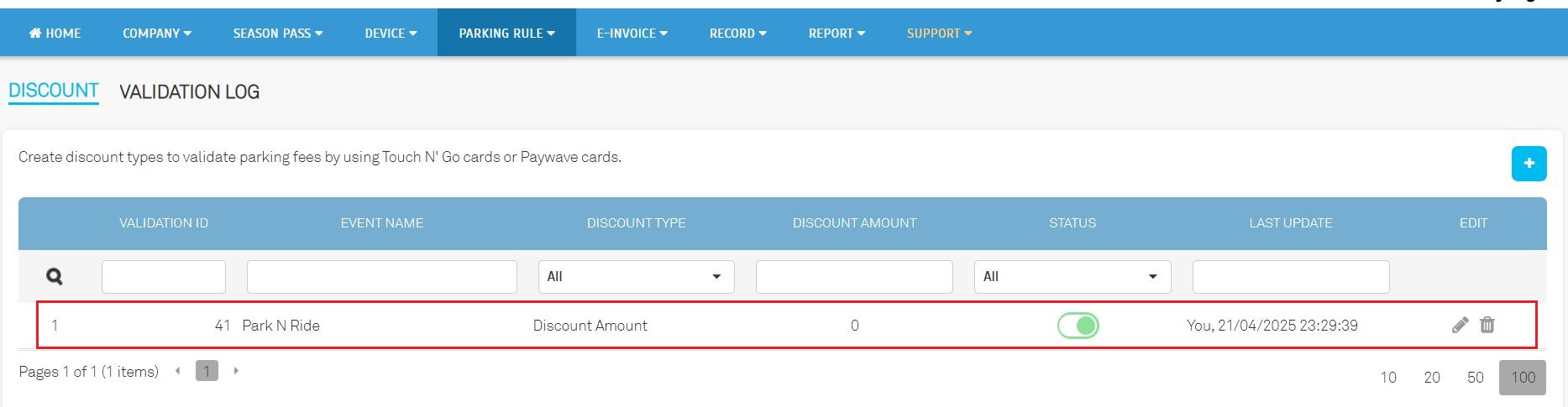
Setting up the new Park & Ride discounted rates is even easier for parking operators! Once a special Park & Ride Fare is configured, the system will automatically create a corresponding Park & Ride discount within the discount settings.
This automated process ensures that the discounted rates are readily available and consistently applied for Park & Ride users.
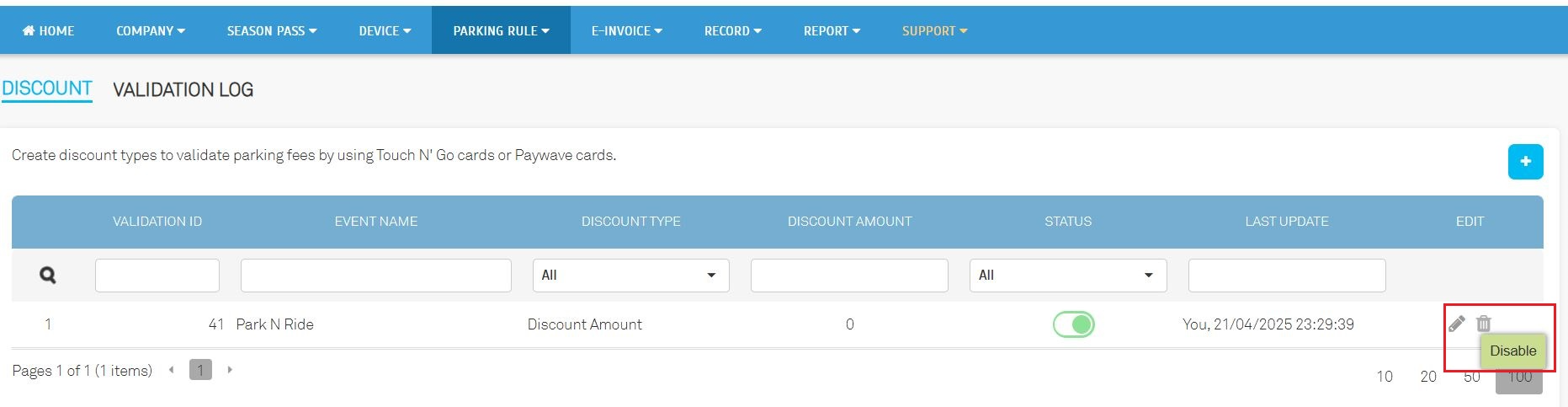
This discount configuration is permanent and cannot be edited, and this discount is applicable for TPK solution only.
5. Enhanced Convenience with Free Access Pass Integration
We've made it even easier for authorized vehicles and personnel to access parking facilities! Our new Free Access Pass Integration allows our parking system to seamlessly connect with other third-party software you might be using.
This integration enables the automatic synchronization of important information, such as vehicle details and staff IDs, directly into our parking system. This means a smoother, more efficient entry and exit process for those with free access privileges. Say goodbye to manual data entry and hello to a streamlined experience!
This update improves convenience and ensures accurate access management for authorized users.
A dedicated API has been developed to allow third-party software to sync vehicle information and staff IDs directly with the parking system.
Navigate to Season Pass > Free Access Pass
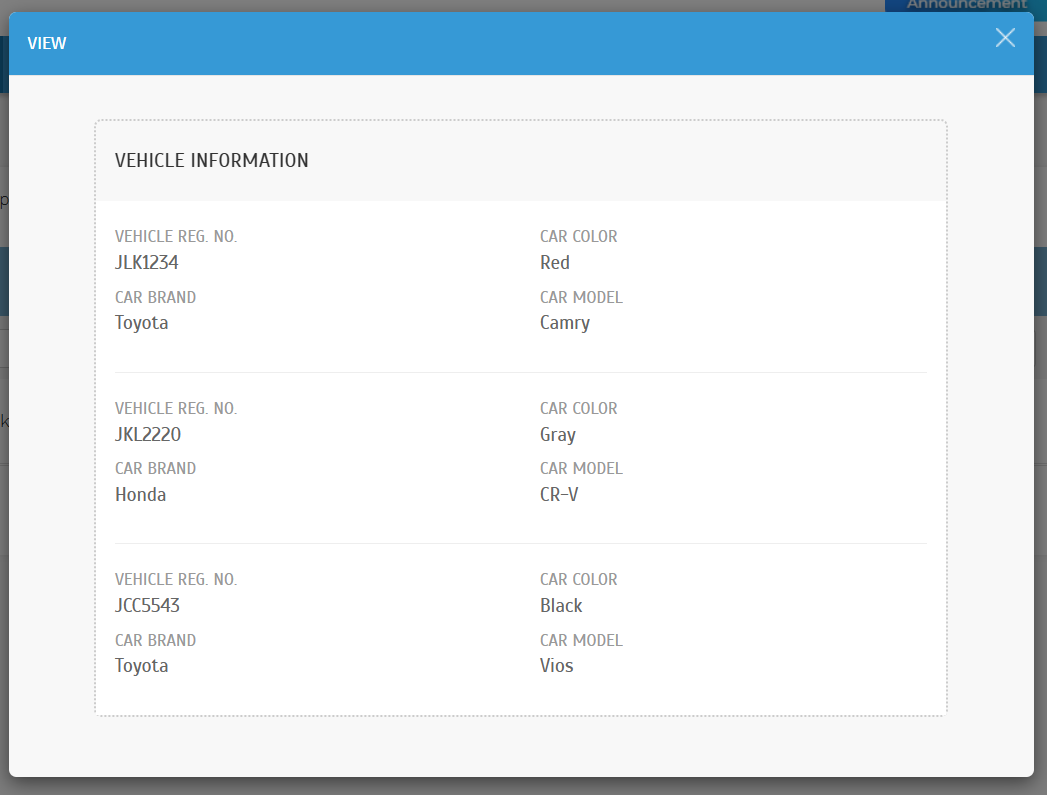
View Vehicle Information: Operators can click on highlighted values to view all vehicle details associated with the season pass.
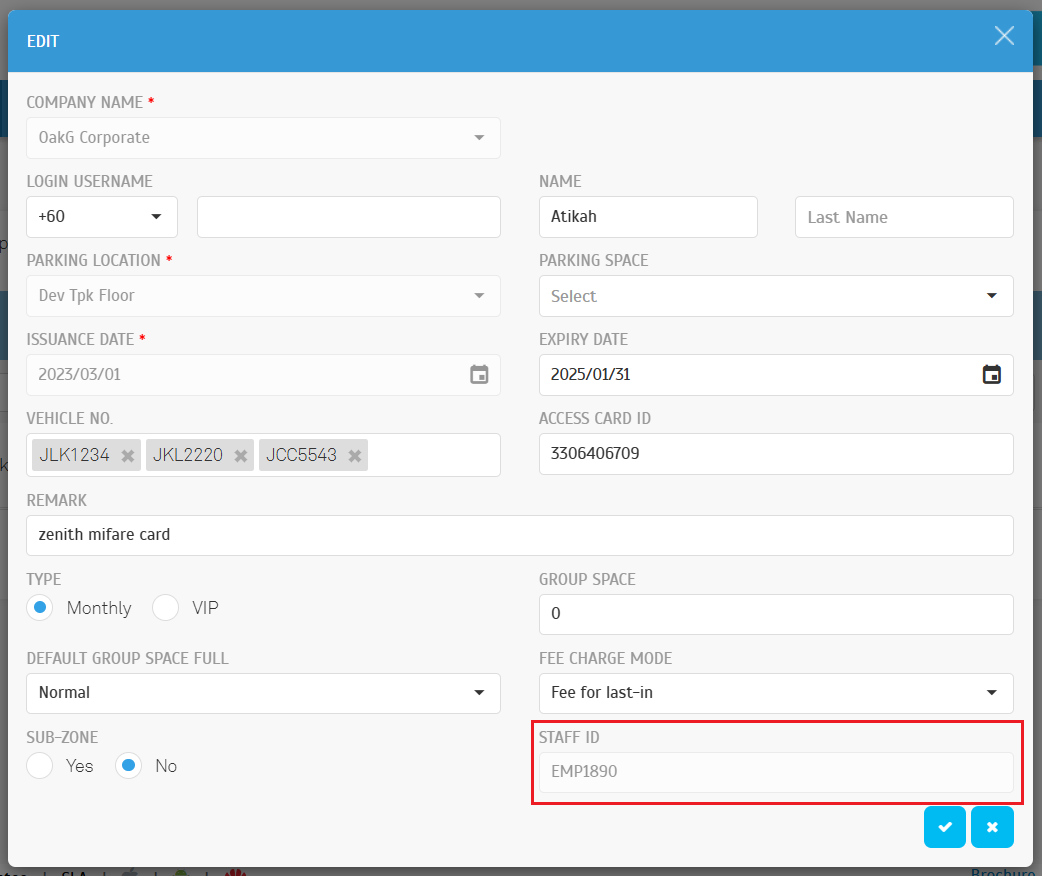
Staff ID Display: Synced Staff IDs can be accessed in the Edit Popup.
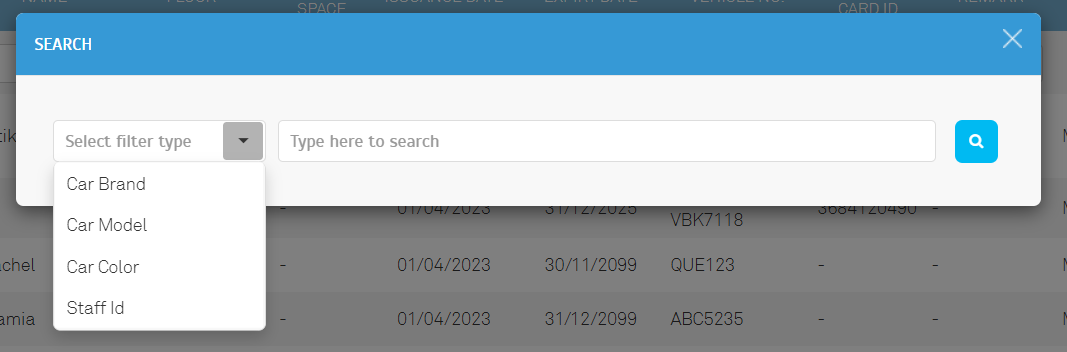
Operators can use the magnifier button to open a search popup. The search popup supports filtering by:
- Car Brand
- Car Model
- Car Colour
- Staff ID
6. Integration API Enhancements
- API for season pass renewal via kiosks
- API integration with iAccount
- API for entry and exit records
- Enhanced API for season records to return detailed season vehicle information
7. General Updates
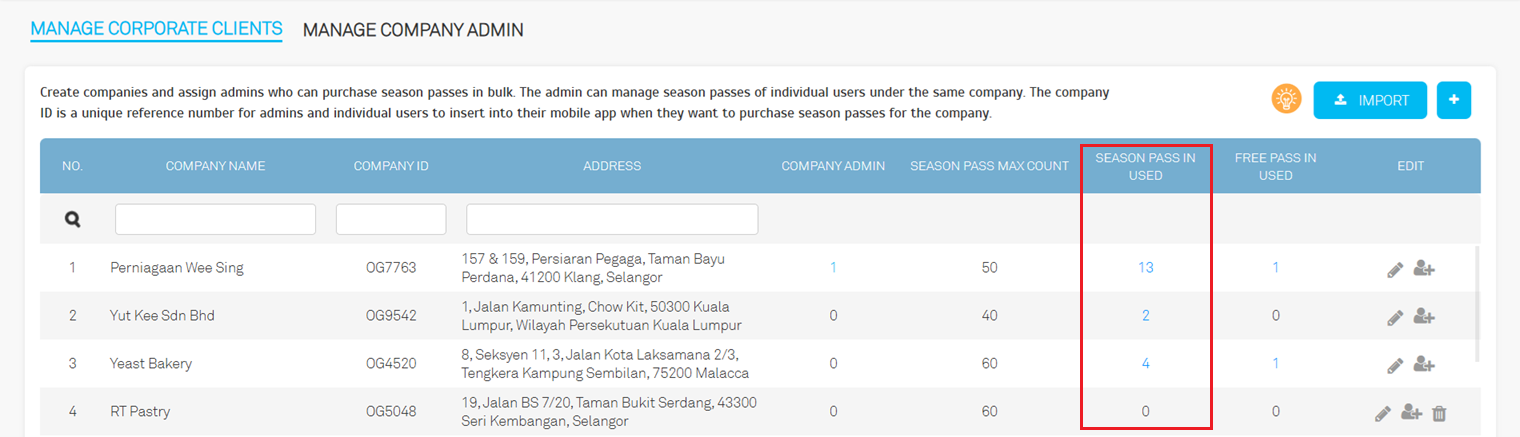
Navigate to Season Pass > Manage Corporate Clients. All pending approval counts are now included under the `Season Pass In Use` count.
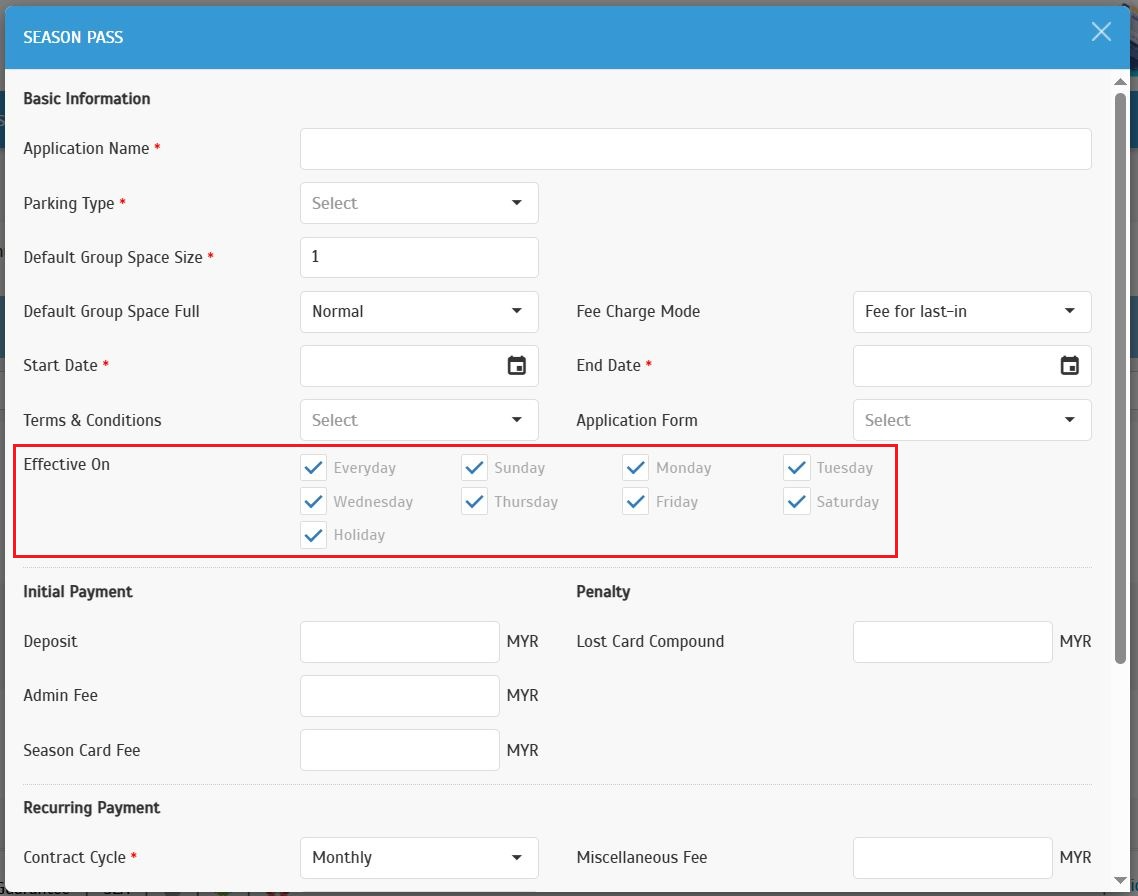
Navigate to Parking Rule > Charge Rates: Season Pass. We change the default settings now apply to every day.
Operator Dropdown: Updated with sorting and a new search box for easier navigation.
Navigate to Record > Payment: Abnormal Payment Export File: Export file format has been updated to match the normal payment export file.
Navigate to Record > Payment > Season Pass: Invoice: Car plate and card number details for paid invoices will remain unchanged, even after season pass updates.
Navigate to Report > Payment Transaction Listing: Performance optimizations have been implemented for faster results.
Navigate to Settlement Module Visibility: User access is now restricted by email address in addition to system roles.