We’re excited to roll out a series of improvements across TimeTec Parking, focused on operational efficiency, white-label flexibility, data accuracy, and system performance.
1. Corporate Client & Season Pass Export Feature
We’ve introduced powerful export capabilities for both corporate client management and season pass management, enabling smoother downstream processing, auditing, and reporting.
1.1. Operator View: Season Pass > Manage Corporate Clients
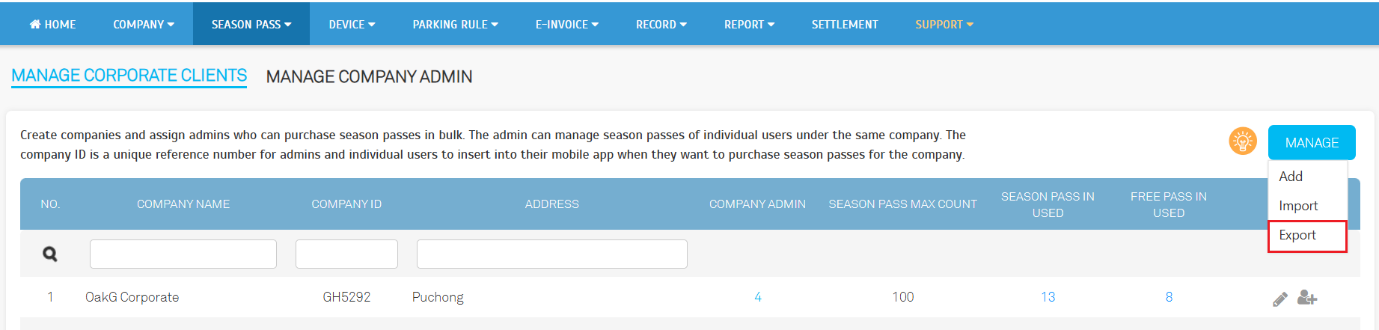
- New Manage Button Layout:
The previous Import and Add buttons have been consolidated into an improved “Manage” interface for a cleaner, more consistent UI.
a. Before (Old UI):
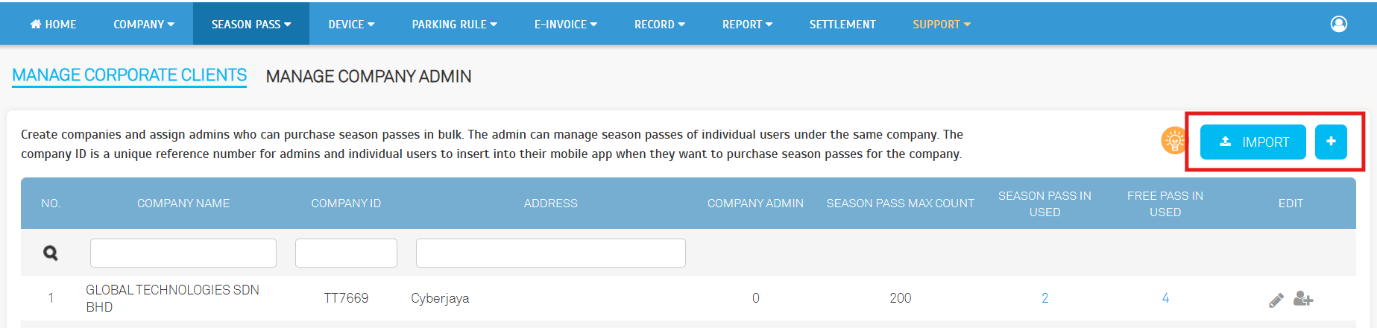
b. After (New UI):
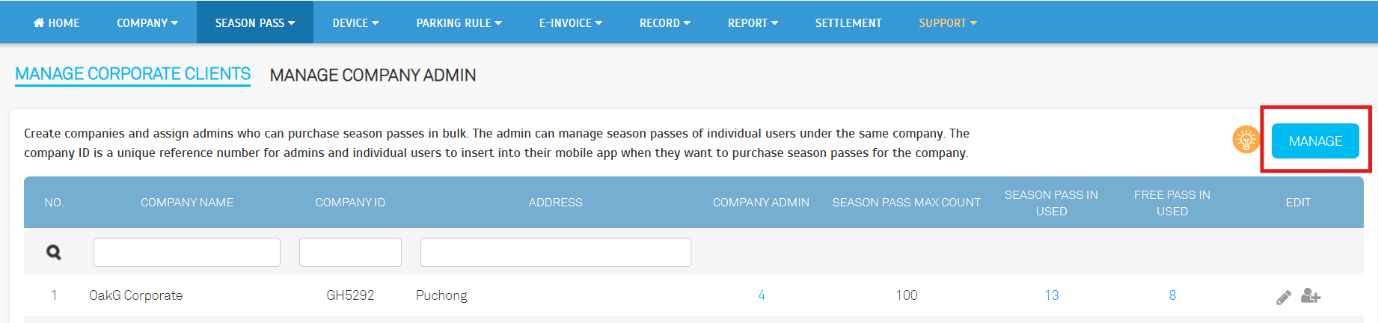
- Export Corporate Client Data:
Operators can now export structured corporate client information for administration, analysis, or backup.
- Standardized Export File Format:
Export files follow a defined, easy-to-process structure
1.2. Operator View: Season Pass > Manage Season Pass
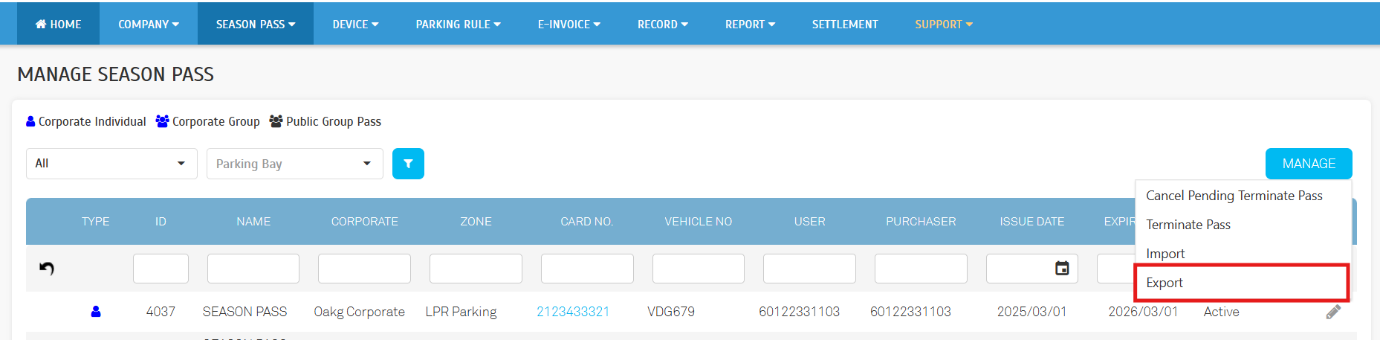
- Season Pass Export:
Operators can now export season pass records to support operational workflows and external processing needs.
- Standardized Export File Format:
Ensures consistency when importing into third-party systems
2. Enhanced Dynamic Support for the Checkout Page
The Checkout Page now supports dynamic configuration, giving operators more control over branding, behaviour, and presentation.
2.1. Operator View: Parking Rule > Parking Lots (Building)
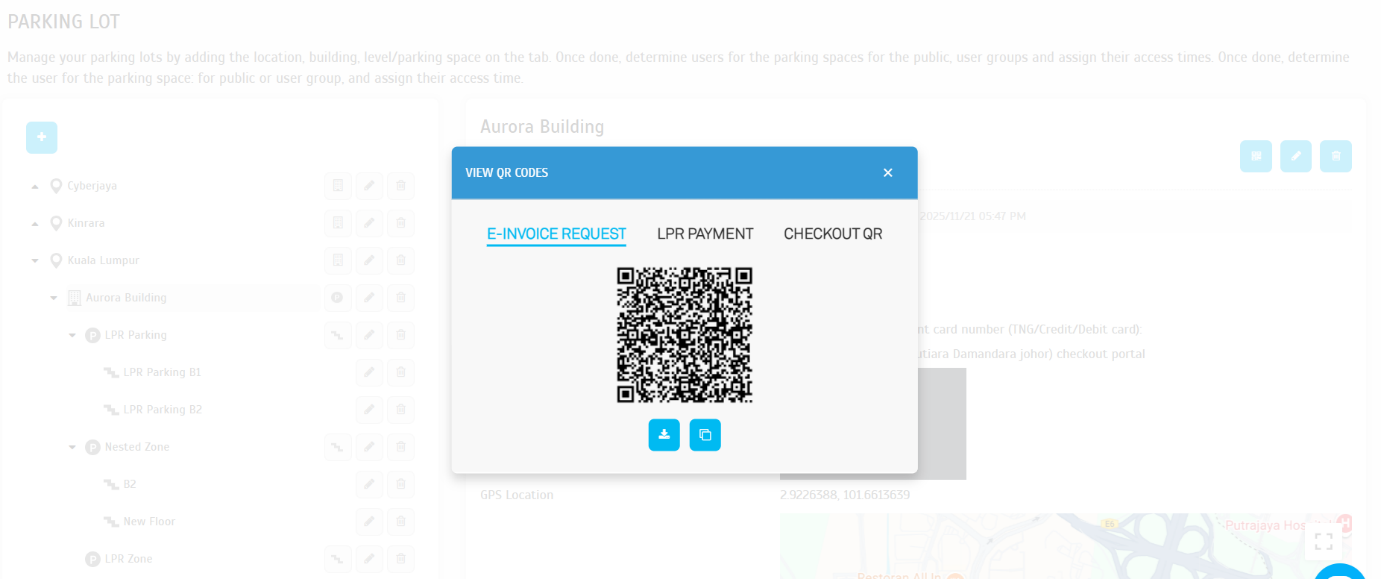
- New QR Code Button:
A dedicated button improves accessibility and simplifies QR code retrieval.
a. Before (Old UI):
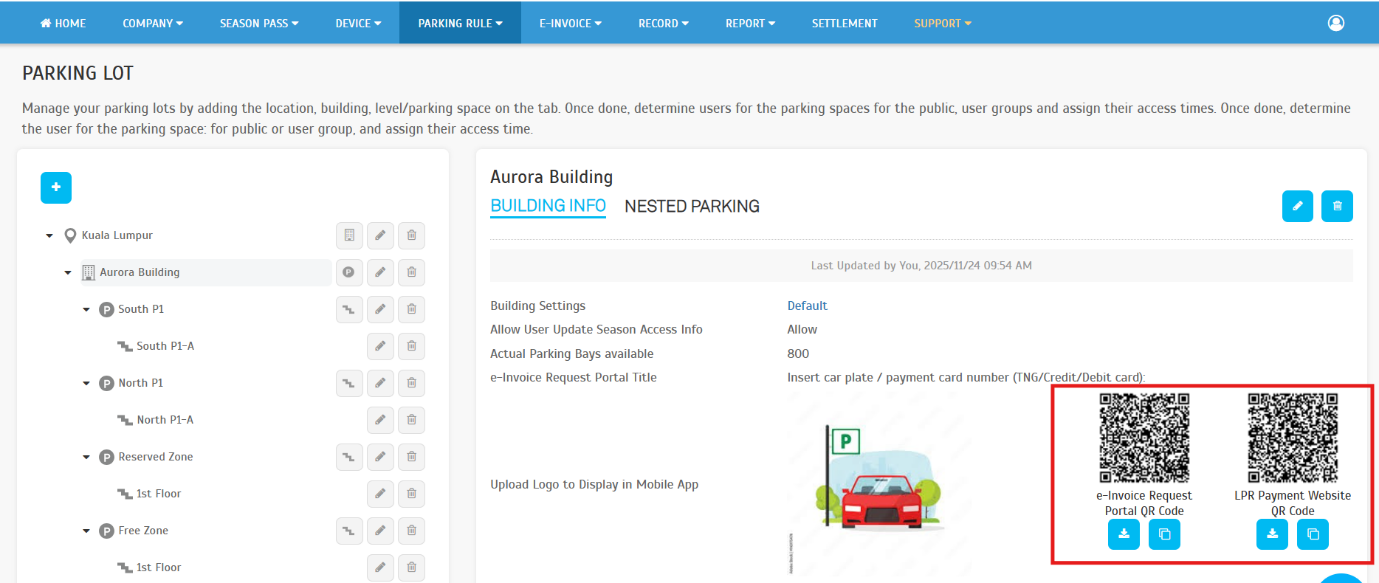
b. After (New UI):

- View QR Codes:
Operators can browse and manage all relevant QR codes directly within the building settings
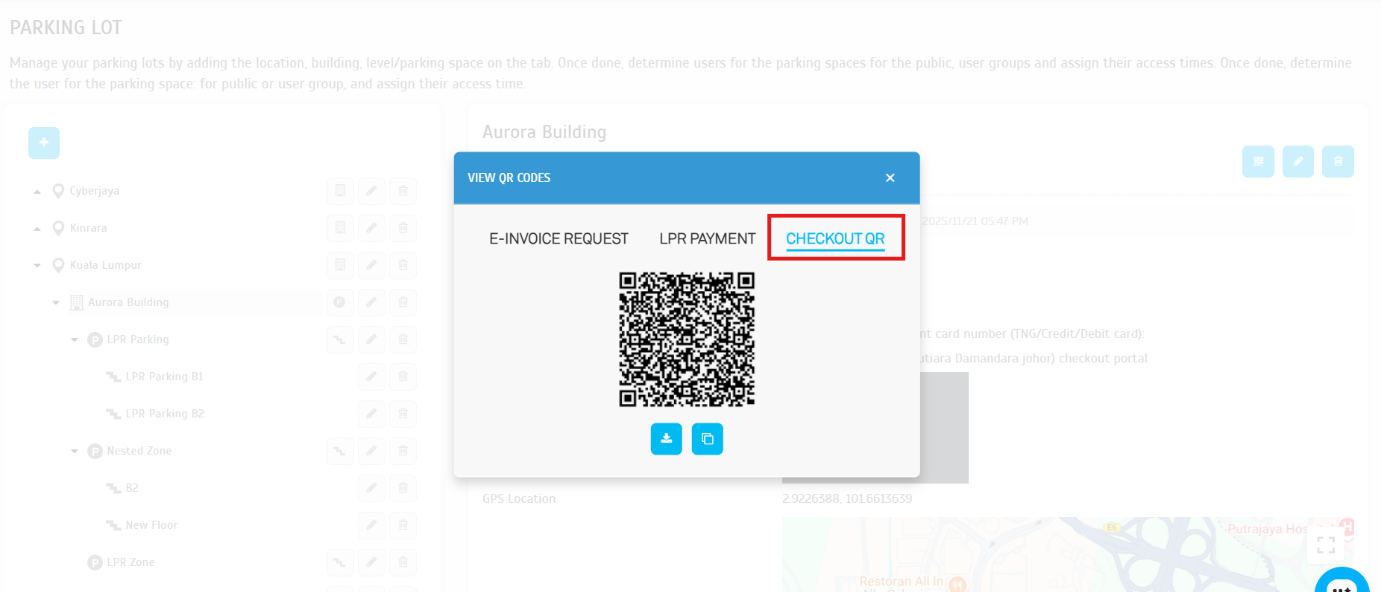
- Checkout QR:
A new, dedicated checkout QR code is generated for this feature. Operators can download it or copy its link for operational use.
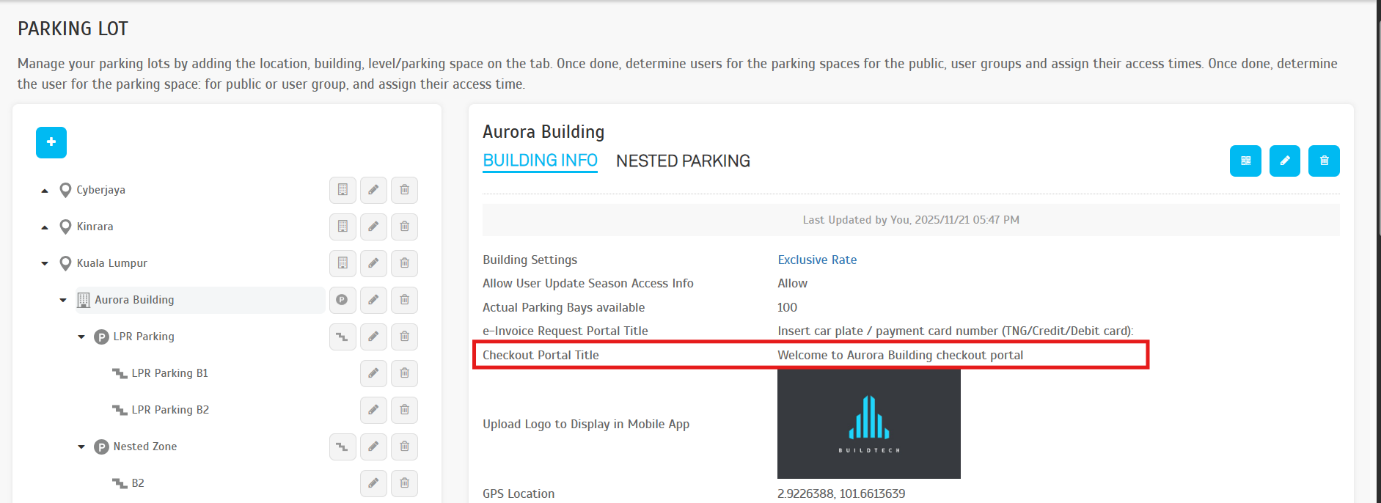
- Checkout Portal Title:
A new field allows operators to define the title shown on the checkout page. If left blank, the system applies a default name.
2.2. Operator View: Checkout Page
-
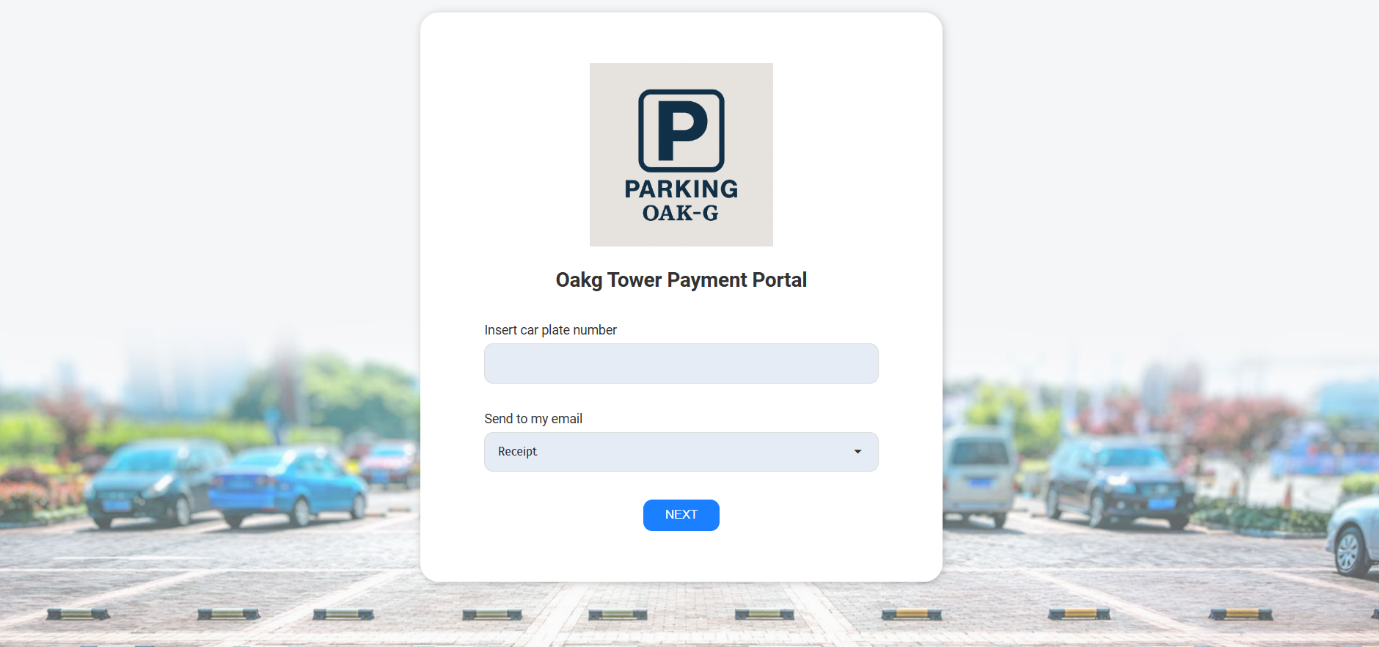
Dynamic Logo: The displayed logo now adapts based on operator configuration:
- The system first uses the building logo.
- If not available, it will use the company logo.
- If neither is configured, it will fall back to the system default logo.
- Checkout Portal Title: The checkout portal title defined in 2.1 (Checkout Portal Title) is applied here.
3. LPR Page - White-label Dynamic Enhancement
The LPR Page has been upgraded to better accommodate white-label partners with flexible branding.
3.1. Operator View: LPR Page
- Dynamic Logo: The LPR Page logo now adapts according to the white-label configurations, enabling each company to apply to its own branding. The behaviour follows the same prioritization rules as the checkout page logo.
- If a company does not use white-label, the page will continue to display the system's default logo.
4. E-Invoice UI, Alignment & Data Accuracy Enhancements
Major improvements have been introduced to the e-Invoice interface and processing behaviour to enhance readability, ensure consistent layout, and improve data accuracy across all invoice types.
4.1. Validated e-Invoice
-
UI & Alignment Improvements
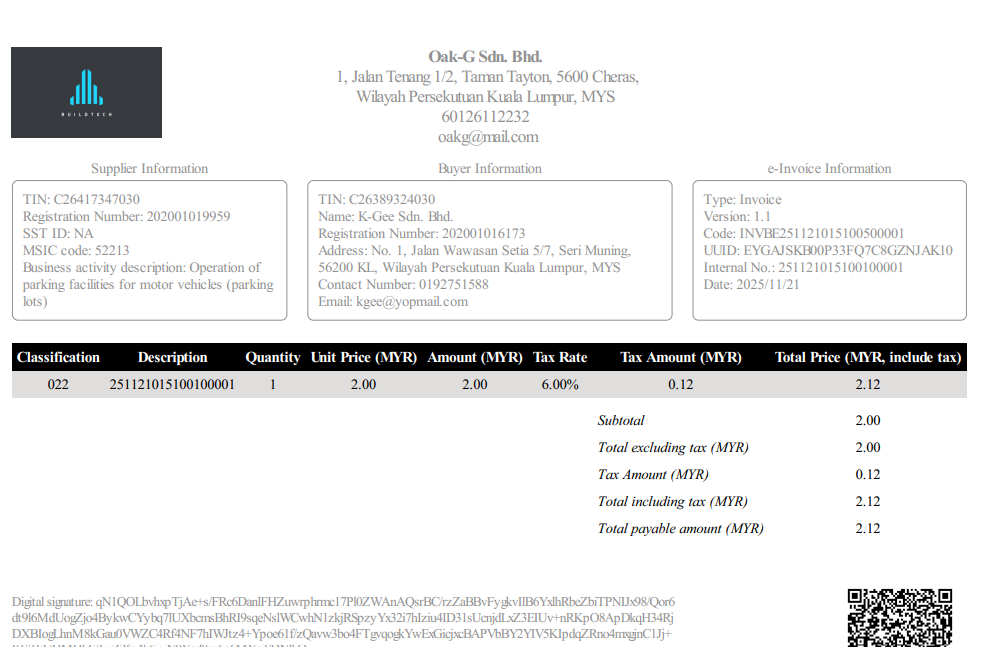
- Layout Refinement: The e-Invoice Information section and template have been resized and realigned to ensure consistent spacing and improved readability.
- Display Validation: The updated layout has been fully validated to ensure all generated e-Invoices display correctly across partners and use cases.
-
Behaviour & Data Corrections
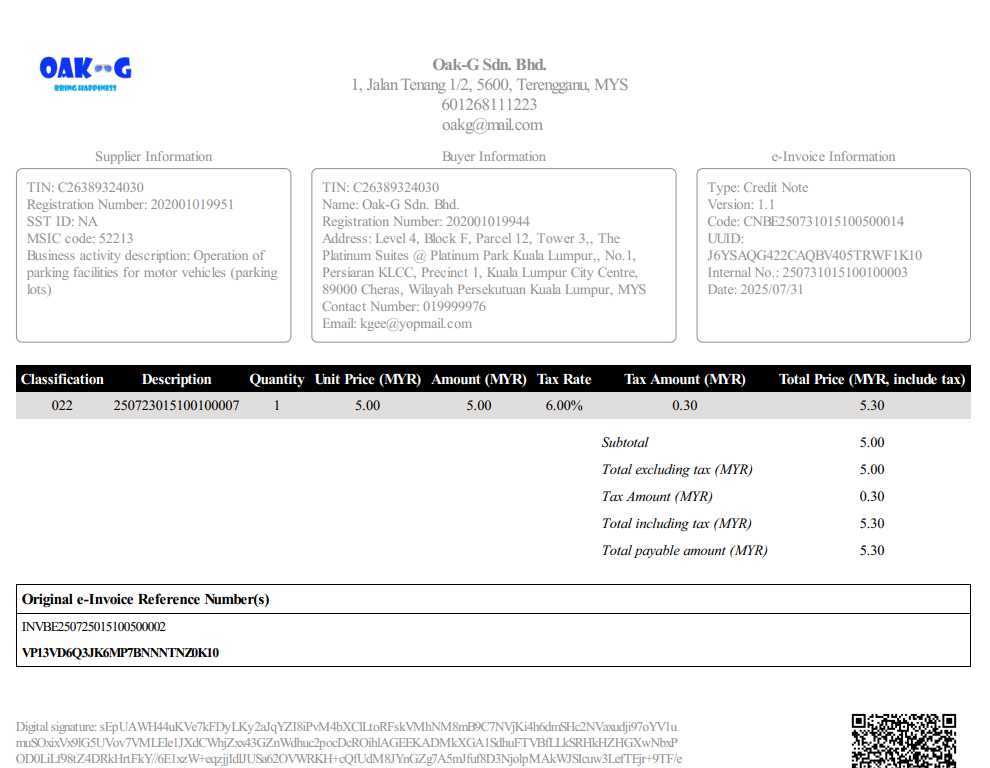
- Invoice Reference Number Standardization: The field previously labelled `Original Invoice Ref No.` has been renamed to `Internal No.` for clearer meaning and consistent usage across invoice types.
- UUID Standardization: The field previously labelled `Unique Identifier No.` has been renamed to `UUID` to standardize with e-Invoice system.
- Date Handling Improvements: Invoice date and time fields have been streamlined, with the display now standardized to date-only where applicable for clearer presentation.
4.2. Operator View: E-Invoice > Records
- Logo Update: The logos for Credit Notes, Debit Notes, and Refund Notes now follow the same logo priority rules (building logo → company logo → system default).
- Credit Note / Debit Note / Refund Note Creation: Enhancements ensure consistent, compliant, and accurate generation of CN, DN, and RN documents — including corrected tax behaviour, reference handling, and layout alignment.
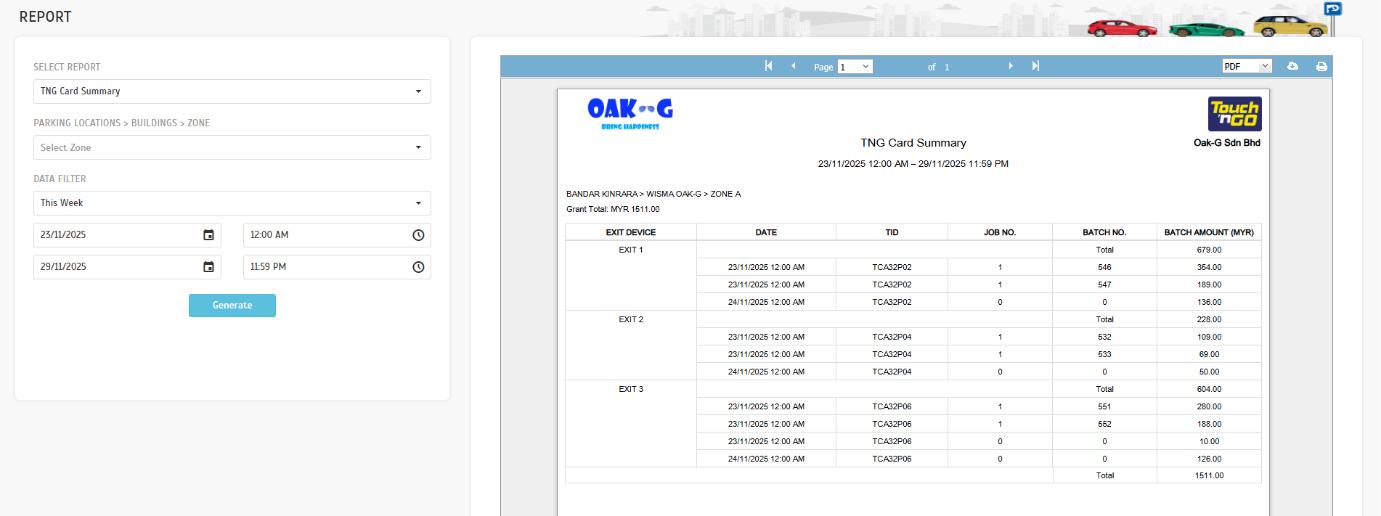
5. TNG Summary Report - Grouping Rule Update
The TNG Summary Report has been refined to improve reconciliation accuracy, especially for transactions associated with Batch No. = 0.
5.1. Operator View: Report > TNG Summary Report
-
Grouping Rule Update:
- Transactions with Batch No. = 0 will no longer be included in batch grouping.
- Grouping behaviour for transactions with non-zero Batch No. Remains unchanged.
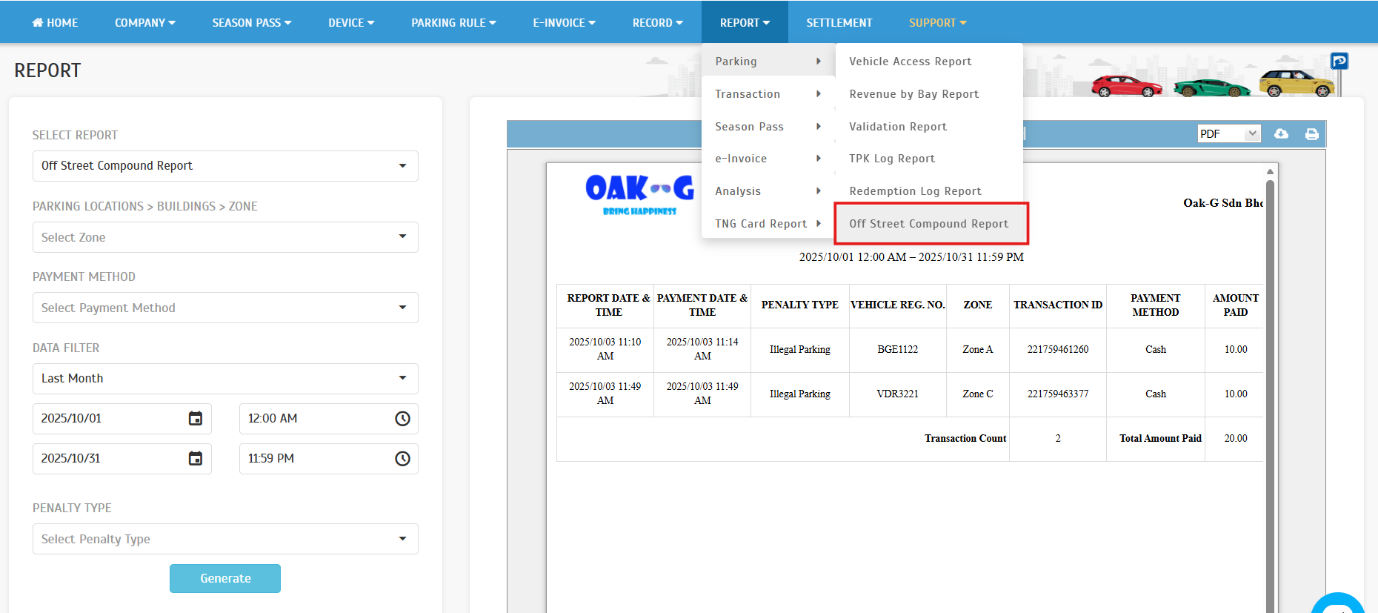
6. Introducing Off Street Compound Report
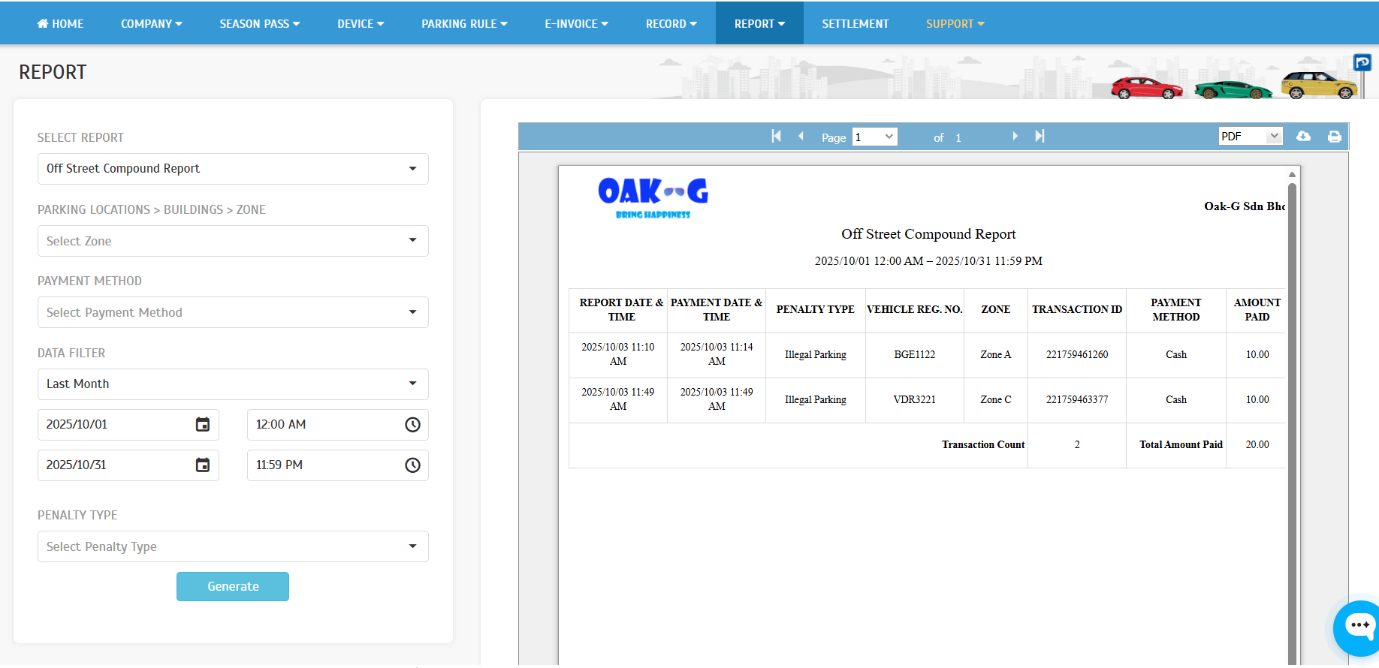
A new Off Street Compound Report has been introduced to enhance visibility and reporting for off street compound transactions.
6.1. Operator View: Report > Parking > Off Street Compound Report
- New Report: Off Street Compound Report is now available for operators.
- Filtering Options: Zone, Payment Method, Date Range, and Penalty Type.
- Sample Report: A sample layout is provided for reference.
7. System Enhancements
7.1. Security
- Security Hardening: Remediation of high-severity pentest issues, including configuration and code-level fixes.
- No Functional Change: Normal operator flows remain unchanged while benefiting from improved security.
7.2. Overall System Optimization
- A Read Replica Instance has been added to enhance system performance, scalability, and query distirbution efficiency.